
]

Microsoft Cloud Solution Provider (CSP) Partner

]

Cloud Business Applications

]

Global Cloud Servers (30+ Locations)

]

Managed Hosting

]

Business Branding & SEO (AI)

Best Project Management Softwares for Small Businesses

Best Project Management Softwares for Small Businesses

In today’s fast-paced business world, small businesses need efficient project management tools to stay organized, meet deadlines, and enhance team collaboration. With numerous options available, selecting the right project management app can significantly improve productivity and efficiency. Here’s a list of the best project management softwares for small businesses, along with their key features.

1. Diadyn Project

Diadyn Project  is designed to help small  businesses  streamline their workflows, improve collaboration, and boost efficiency. Whether you’re handling complex projects or day-to-day tasks, our platform offers powerful tools to enhance productivity, automate processes, and ensure seamless execution. With cloud-based accessibility, advanced reporting, and customizable features, managing projects has never been easier.

Key Features

  • Task Management – Organize and prioritize tasks with intuitive workflows.
  • Time Tracking – Monitor project timelines, set deadlines, and optimize productivity.
  • Cloud Integration – Access your projects anytime, anywhere with seamless cloud support.
  • Security & Compliance – Keep your data protected with industry-standard security protocols.
  • Customization & Scalability – Tailor workflows to suit your business needs as you grow.
best project management softwares for Small Businesses

2. Asana 

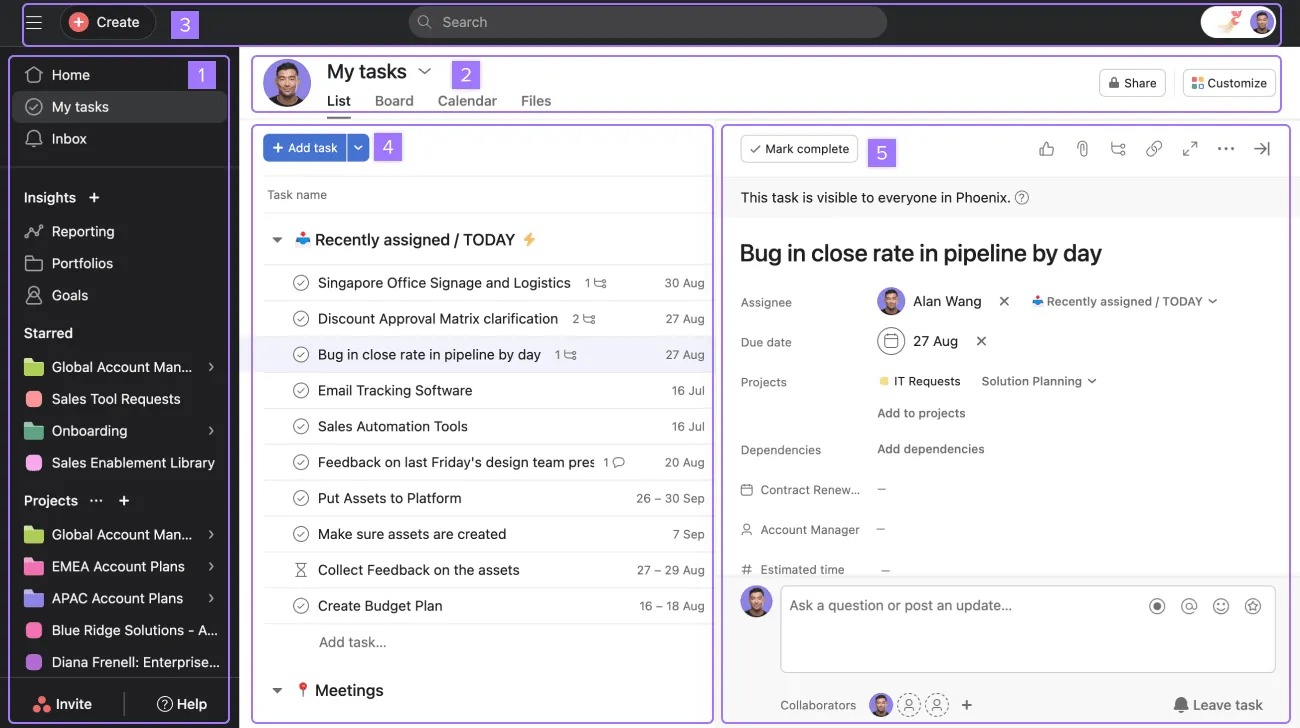
Asana is a powerful project management and collaboration tool designed to help teams organize tasks, track progress, and streamline workflows. Whether you’re managing simple to-do lists or complex projects, Asana provides a user-friendly interface and robust features to enhance team efficiency. It enables businesses to plan, execute, and deliver projects seamlessly while fostering collaboration across teams.

Key Features 

Task & Project Management – Create tasks, assign them to team members, set priorities, and track progress effortlessly.

  • Multiple Views – Visualize work with List, Board, Timeline (Gantt), and Calendar views for better project tracking.
  • Automation & Workflow Customization – Automate repetitive tasks with rule-based workflows to improve efficiency.
  • Team Collaboration – Share files, add comments, and communicate in real time to keep projects on track.
  • Integrations – Seamlessly connect with apps like Slack, Google Drive, Microsoft Teams, and more for enhanced productivity.
  • Reporting & Analytics – Gain insights into project progress with dashboards and detailed reports.
  • Mobile Access – Stay productive on the go with Asana’s mobile app for Android and iOS.
  • Security & Compliance – Enterprise-grade security with data encryption, admin controls, and compliance standards.
3. ClickUp

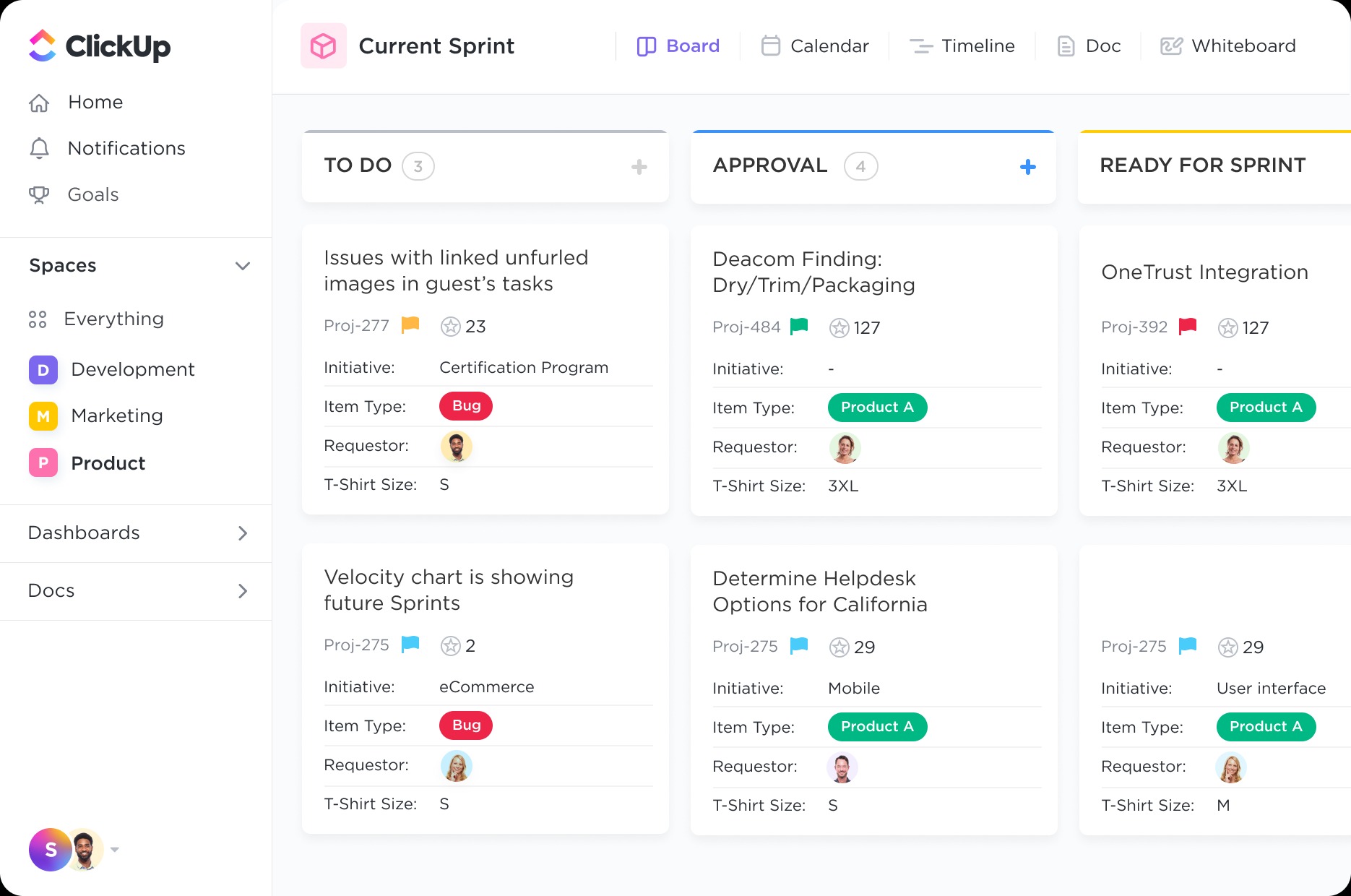
ClickUp is a comprehensive project management and productivity tool designed to streamline workflows, enhance collaboration, and improve efficiency for teams of all sizes. With customizable task views, automation, and seamless integrations, ClickUp helps businesses centralize work and stay organized, making it a top choice for teams looking for flexibility and scalability.

Key Features

  • Task & Project Management – Create, assign, and manage tasks with due dates, priorities, and dependencies.
  • Multiple Views – Access List, Board, Gantt Chart, Calendar, Timeline, and Mind Map views to suit different workflows.
  • Custom Workflows & Automation – Automate repetitive tasks and customize workflows to fit your team’s needs.
  • Docs & Wikis – Create and collaborate on documents, wikis, and knowledge bases within ClickUp.
  • Time Tracking & Goal Setting – Monitor time spent on tasks, set goals, and track progress with detailed reports.

  • Collaboration & Communication – Use chat, comments, mentions, and real-time document editing for seamless teamwork.
4.Zoho Projects

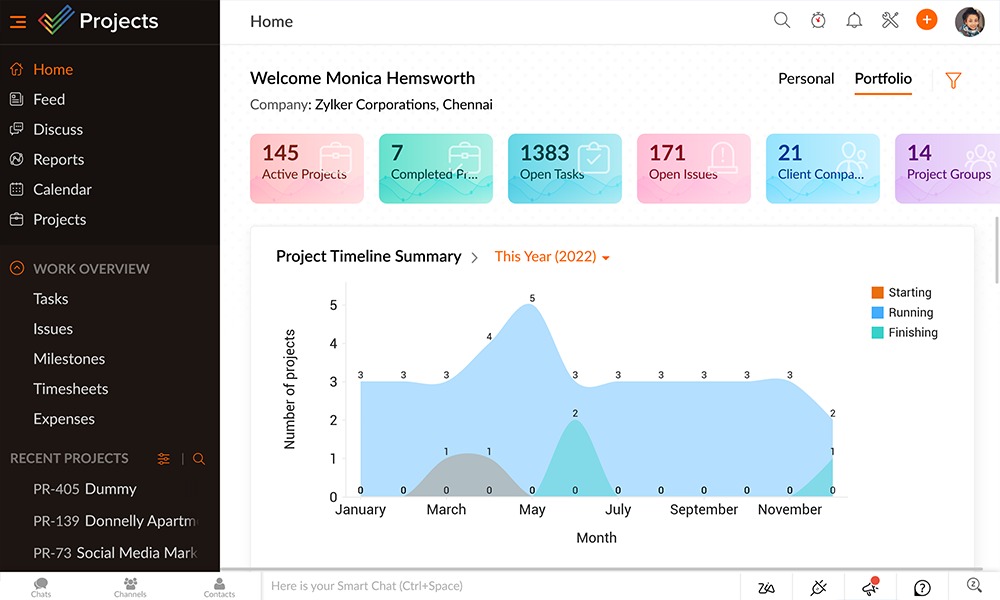
Zoho Projects is a powerful cloud-based project management tool designed to help businesses plan, track, and collaborate seamlessly. With features like task automation, time tracking, and in-depth analytics, Zoho Projects simplifies complex workflows, making it the ideal solution for teams of all sizes. Whether you’re managing software development, marketing campaigns, or internal operations, Zoho Projects ensures efficiency and transparency.

Key Features of Zoho Projects

  • Task & Milestone Management – Organize tasks into lists, set milestones, and track project progress effortlessly.
  • Custom Workflows & Automation – Automate repetitive tasks and streamline approvals with rule-based workflows.

  • Time Tracking & Billing – Monitor work hours with built-in timers and generate invoices for billable hours.
  • Collaboration Tools – Use built-in chat, comments, and file-sharing to enhance team communication.
  • Custom Dashboards & Reports – Gain insights into project performance with customizable reports and analytics.
  • Mobile & Cloud Accessibility – Manage projects on the go with Zoho Projects’ mobile apps for iOS and Android.
5.Trello

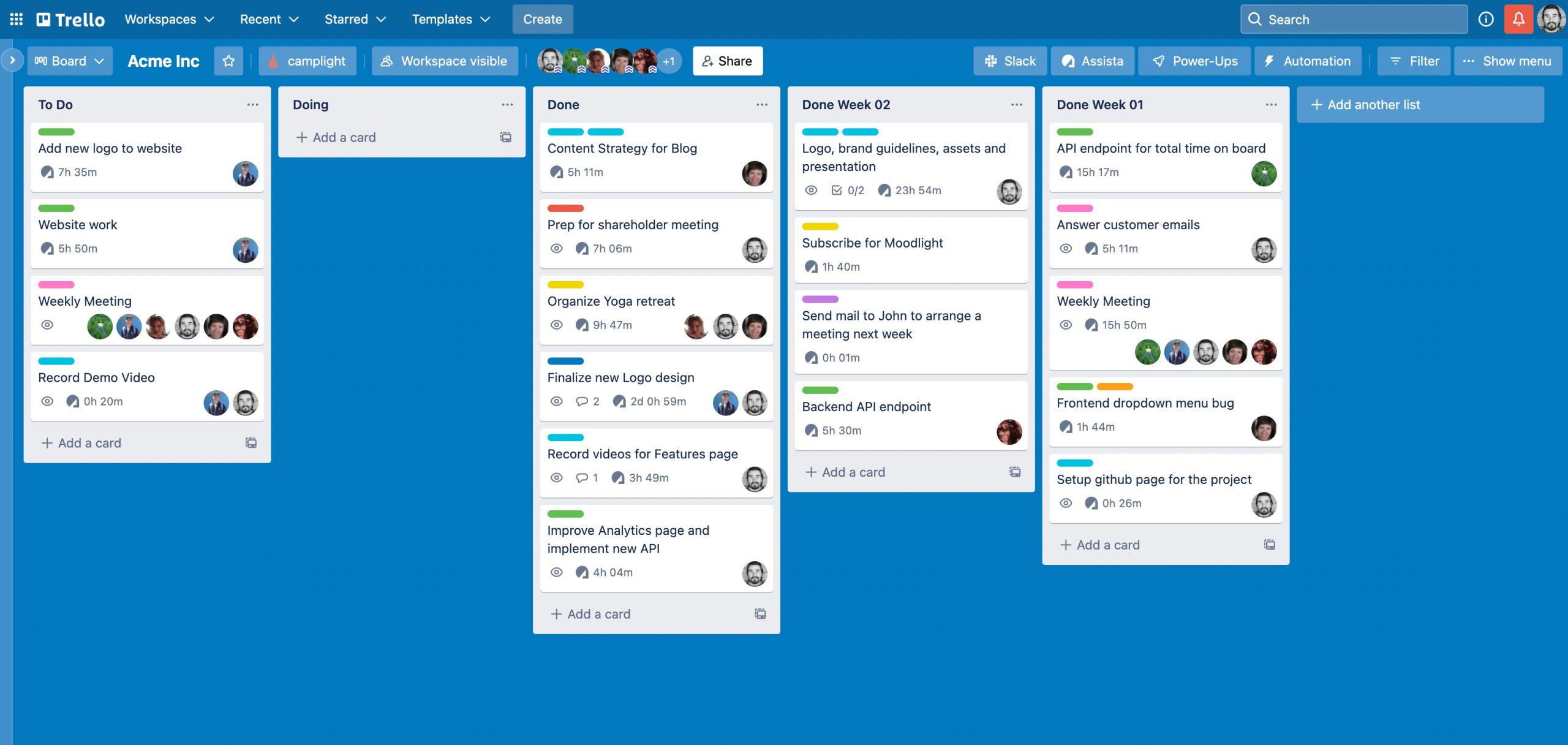
Trello is an intuitive, visual project management tool designed to help teams organize tasks, track progress, and collaborate efficiently. With its flexible Kanban-style boards, lists, and cards, Trello makes it easy to manage projects, streamline workflows, and boost productivity. Whether you’re planning a marketing campaign, tracking software development, or organizing personal tasks, Trello adapts to your workflow effortlessly.

Key Features of Trello

  • Drag-and-Drop Kanban Boards – Organize tasks visually with lists and cards for easy workflow management.
  • Customizable Workspaces – Create boards for different teams, projects, or departments with unique settings.
  • Task Assignments & Due Dates – Assign tasks to team members and set deadlines to keep projects on track.
  • Butler Automation – Automate repetitive tasks with rule-based workflows, reducing manual work.
  • Checklists & Attachments – Break down tasks into smaller steps and attach files, images, or links for reference.
  • Real-Time Collaboration – Comment on tasks, tag teammates, and track project updates instantly.
  • Mobile & Cloud Accessibility – Access Trello from anywhere with mobile apps for iOS and Android.
Choosing the Right Project Management App

When selecting a project management app for your small business, consider the following:

  • Ease of use: Look for a user-friendly interface that requires minimal training.
  • Scalability: Choose an app that can grow with your business.
  • Integration: Ensure compatibility with existing tools like email, CRM, and accounting software.
  • Pricing: Opt for a solution that fits your budget while offering essential features.

Final Thoughts

Choosing the right project management app can greatly enhance your small business’s productivity and efficiency. Take the time to assess your business requirements, explore different options, and adopt the one that aligns best with your workflow. Evaluate your business requirements, test a few options, and implement the one that best suits your workflow.

Or, you can save time and choose  Diadyn Project  right away. We are confident you will  love it! Learn more about Diadyn Project  today. Sign Up Now

Best POS Solutions for Retail Stores: Features to Look For

Best POS Solutions for Retail Stores: Features to Look For

A Point of Sale (POS) system is a crucial tool for retail businesses, helping to streamline sales, manage inventory, and enhance customer experience. With numerous POS solutions available, choosing the right one can be overwhelming. To help you make an informed decision, we have compiled a guide on the best POS systems for retail stores and the essential features to look for. This blog explores the Best Retail POS Solutions essential features.

best retail pos solutions

Top Features to Consider in a Best Retail POS Solutions

1. Inventory Management

Managing inventory efficiently is crucial for any business, and our POS Inventory Management System simplifies the entire process with automation, real-time tracking, and insightful analytics. It ensures that stock levels are always accurate, reducing manual errors and optimizing inventory control. The system provides real-time updates as sales, purchases, and returns occur, preventing stockouts and overstock situations.

With built-in barcode and SKU management, scanning and identifying products becomes seamless, improving speed and accuracy in stock management. Businesses operating across multiple locations or online platforms can synchronize inventory effortlessly, maintaining consistent stock availability across all sales channels.

Designed with a user-friendly interface and cloud-based accessibility, the system allows business owners to monitor inventory from anywhere, ensuring smooth operations with minimal effort. By reducing inventory-related inefficiencies, minimizing losses, and enhancing accuracy, this POS solution helps businesses maintain profitability and scalability effortlessly.

2. Sales & Transaction Processing

Efficient and seamless sales and transaction processing are at the heart of a powerful POS system. Our POS solution streamlines the entire checkout process, making it faster, more accurate, and highly secure.

It supports multiple payment methods, including cash, credit/debit cards, mobile wallets, and contactless payments, ensuring convenience for customers and reducing checkout time. The system also enables split payments, refunds, and store credits, offering flexibility in handling transactions.

Real-time transaction recording ensures that every sale is accurately logged, preventing discrepancies in sales reports and inventory management. Discounts, promotions, and loyalty programs can be easily applied at checkout, enhancing customer engagement and retention.

3. Reporting & Analytics

View real-time and historical sales data, broken down by date, time, product category, or payment method. Identify top-performing products and trends to make informed decisions.Track stock levels, monitor shrinkage, and identify best-sellers or slow-moving items. Use reorder alerts to avoid stockouts or overstocking.Analyze purchase patterns, loyalty program engagement, and customer lifetime value. Segment customers for personalized marketing.

4.Multi-Store and Omni-Channel Support

A powerful POS system should seamlessly manage multiple store locations and integrate with online sales channels. With multi-store support, retailers can centralize inventory, pricing, and customer data across all branches, ensuring consistent operations. Omni-channel capabilities enable smooth transitions between in-store, online, and mobile sales, offering customers a unified shopping experience. Whether tracking stock levels in real-time, processing cross-store returns, or syncing customer loyalty programs, a robust POS with these features enhances efficiency and boosts sales across all touchpoints.

5.Payment Processing Flexibility

A modern POS system should offer flexible payment processing to accommodate diverse customer preferences. From traditional cash and credit/debit cards to mobile wallets (Apple Pay, Google Pay) and contactless payments, seamless transactions enhance the shopping experience. Additionally, support for split payments, installment plans, and multiple currencies can improve customer satisfaction and expand business reach. With secure encryption and compliance with industry standards (PCI DSS), a flexible POS ensures safe and efficient payment handling, reducing transaction friction and boosting sales.

6.Scalability and Customization

A robust POS system should grow with your business, offering scalability and customization to meet evolving needs. Whether expanding to multiple locations, adding new product lines, or integrating advanced features, a scalable POS ensures seamless operations without disruption. Customization options, such as tailored user interfaces, personalized reports, and industry-specific modules, allow businesses to optimize workflows and enhance efficiency. With the right POS, retailers can adapt to market changes, streamline processes, and maintain a competitive edge.

7.Security and Compliance

A reliable POS system must prioritize security and compliance to protect customer data and business transactions. Look for features like end-to-end encryption, tokenization, and PCI DSS compliance to safeguard sensitive payment information. Role-based access controls and audit trails ensure that only authorized personnel can access critical data, reducing the risk of fraud. Additionally, compliance with local tax regulations and industry standards helps businesses stay legally compliant while maintaining customer trust. With a secure POS system, retailers can operate with confidence, knowing their data and transactions are well-protected.

How Diadyn Technology Helps You Choose the Best POS

At Diadyn Technology, we guide retail organisations in selecting and implementing the best POS systems tailored to your needs. From inventory management to payment processing, our experts ensure a seamless transition and sustained growth. Contact us today to explore customized POS solutions for your store.

Ready to elevate your retail operations? Contact Diadyn Technology or discover Diadyn POS  for more details.

Why Accurate Invoicing is Crucial for Customer Satisfaction

Why Accurate Invoicing is Crucial for Customer Satisfaction

In today’s fast-paced business environment, maintaining strong relationships with your customers is vital for long-term success. Accurate invoicing plays a pivotal role in ensuring customer satisfaction by fostering trust, streamlining payments, and avoiding disputes. Let’s explore why precise billing is indispensable and how it impacts your business positively.

invoicing

1. Builds Trust and Professionalism

When your invoices are error-free, it demonstrates your business’s attention to detail and professionalism. Clients are more likely to trust you when financial transactions are transparent and accurate. Conversely, errors such as overcharging, undercharging, or including incorrect details can raise doubts about your competence.

2. Prevents Payment Delays

Errors in invoicing often lead to disputes, which can delay payments. For example, a client might question unexpected charges or request corrections before processing the invoice. Accurate invoices eliminate these barriers, ensuring timely payments and improving your cash flow.

3. Enhances Customer Experience

Customers value simplicity and clarity. A well-organized and precise invoice makes it easier for clients to understand the charges and process payments quickly. This positive experience reflects well on your brand and strengthens customer loyalty.

4. Reduces Administrative Overhead

Correcting invoicing errors can be time-consuming and costly. It often involves multiple back-and-forth communications with the client, updating records, and reissuing invoices. Accurate invoicing from the outset saves time for both your team and your clients.

5. Ensures Compliance and Avoids Legal Issues

Accurate invoices that meet regulatory standards help avoid compliance issues. For businesses in industries with strict billing requirements, such as healthcare or finance, errors can lead to audits, penalties, or strained client relationships.

6. Strengthens Client Relationships

Accuracy shows that you value your clients’ time and money. Clients who consistently receive precise and timely invoices are more likely to perceive your business as reliable and continue their partnership with you.

How to Ensure Accurate Invoicing

1. Automate the Process: Use reliable invoicing software to minimize human errors and automate recurring invoices.

2.Double-Check Details: Always verify key information like client names, addresses, services rendered, and pricing.

3.Standardize Templates: Use clear, consistent invoice templates that include all necessary information.

4.Train Your Team: Educate your staff on best practices for invoicing and the importance of accuracy.

Looking for a robust invoicing solution? Explore  Diadyn Billing Solution  with ease of use to streamline your billing process and enhance customer satisfaction.

Top 5 Accounting Software in South Africa

Top 5 Accounting Software in South Africa

In this blog, we explore some of the top 5 accounting softwares  in South Africa. Managing finances efficiently is crucial for the success of any business, especially in a competitive market like South Africa. With the right accounting software, companies can streamline operations, maintain compliance, and make informed decisions. This blog explores the top five accounting software options tailored to the unique needs of South African businesses, highlighting their features, benefits, and why they are trusted by companies across various industries. Whether you’re a small startup or a growing enterprise, these tools can help optimize your financial management processes.

1. Diadyn Finance & Accounting

Diadyn Finance and Accounts is a dynamic solution designed for businesses of all sizes. It simplifies financial processes with intuitive features for bookkeeping, invoicing, and expense tracking. With real-time financial insights and customizable reports, it’s ideal for businesses aiming for growth. The software also emphasizes user-friendliness and scalability, making it a top choice for South African SMEs.

Key Features:

  • Real-Time Financial Tracking: Gain instant insights into your financial status with up-to-date tracking tools. Diadyn Finance and Accounting is a cutting-edge feature that provides instant visibility into an organization’s financial data. This functionality ensures that businesses can make data-driven decisions with up-to-the-minute insights into their financial performance.
  • Customizable Invoicing: Create professional, branded invoices tailored to your business needs. Customizable invoicing in Diadyn Finance and Accounting provides businesses with the flexibility to create, manage, and personalize invoices tailored to their specific branding and operational requirements. This feature streamlines the invoicing process, enhances professionalism, and improves the customer experience.
  • Expense Management: Expense management in Diadyn Finance and Accounting offers a comprehensive solution for tracking, categorizing, and controlling business expenses. This feature ensures transparency, reduces errors, and enhances financial efficiency by automating and streamlining the expense tracking process.
  • Integration Capabilities: Connect seamlessly with other diadyn  business applications for enhanced functionality.
  • User-Friendly Interface: A user-friendly interface is a cornerstone of Diadyn Finance and Accounting, designed to enhance usability, simplify complex processes, and ensure users can manage their financial tasks efficiently without extensive training. The intuitive design prioritizes ease of navigation, accessibility, and an overall seamless user experience.
top 5 accounting softwares in south africa

2. Sage Business Cloud Accounting

Sage Business Cloud Accounting is a powerful and intuitive cloud-based solution designed to simplify financial management for businesses. It offers essential tools like invoicing, expense tracking, and tax compliance tailored to the South African market. Its flexibility allows users to access their accounts anytime, while features such as payroll integration, advanced reporting, and bank reconciliation streamline accounting tasks.

Key Features:

    • Cloud-Based Accessibility : The Cloud-Based Accessibility feature in Sage Business Cloud Accounting is a cornerstone of its functionality, allowing users to manage their accounting tasks from virtually anywhere with an internet connection. This feature enables flexibility, real-time collaboration, and increased efficiency for businesses, particularly in today’s remote and mobile work environments. Access your accounts anytime, anywhere, and on any device, ensuring flexibility for business owners and accountants.
    • Localized Tax Compliance: The Localized Tax Compliance feature in Sage Business Cloud Accounting ensures businesses can comply with regional tax laws and regulations, regardless of their geographic location. This feature is particularly beneficial for small and growing businesses that need to manage taxes effectively without specialized expertise. Sage incorporates various tax rules, rates, and reporting formats to simplify tax management and compliance for users worldwide.Sage is tailored for South African businesses with VAT calculations and local tax compliance features.
    • Invoicing and Payments: The Invoicing and Payments feature in Sage Business Cloud Accounting is designed to streamline how businesses manage billing and receive payments. It offers robust tools for creating professional invoices, automating payment tracking, and improving cash flow by integrating various payment methods. This feature is ideal for businesses of all sizes that want to simplify financial transactions while maintaining professionalism
    • Advanced Reporting: The Advanced Reporting feature in Sage Business Cloud Accounting provides businesses with comprehensive insights into their financial performance. By leveraging detailed, customizable reports, this feature enables users to analyze their financial data, make informed decisions, and maintain compliance with regulatory requirements. It’s particularly useful for small and growing businesses looking to track progress, optimize operations, and strategically plan for the future.
    • Bank Reconciliation: The Advanced Reporting feature in Sage Business Cloud Accounting provides businesses with comprehensive insights into their financial performance. By leveraging detailed, customizable reports, this feature enables users to analyze their financial data, make informed decisions, and maintain compliance with regulatory requirements. It’s particularly useful for small and growing businesses looking to track progress, optimize operations, and strategically plan for the future.
    • User-Friendly Interface: Simplifies complex accounting tasks, making it suitable even for users without an accounting background.
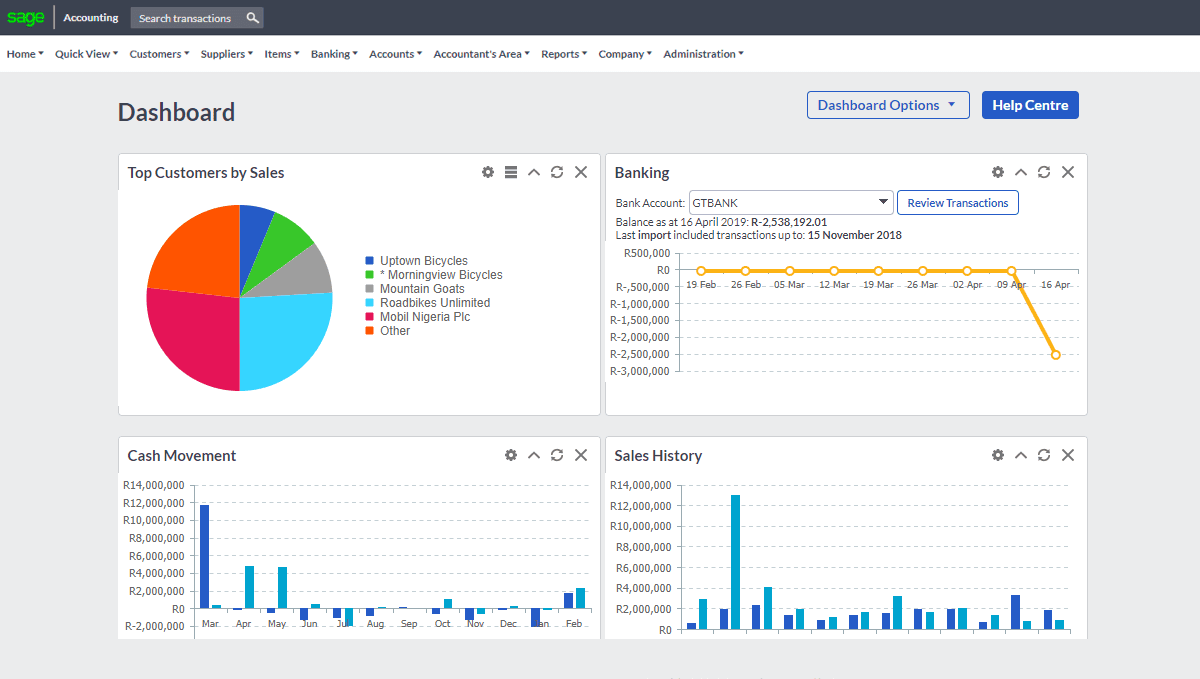
    A dashboard displaying a pie chart and various data metrics from Sage Business Cloud Accounting

    3. QuickBook

    QuickBooks Online is a versatile, cloud-based accounting software designed to meet the needs of small and medium-sized businesses. Known for its simplicity and efficiency, it offers tools for managing invoices, tracking expenses, reconciling bank accounts, and generating detailed financial reports. QuickBooks supports multi-currency transactions and integrates seamlessly with payroll systems and third-party applications.

    Key Features :


    • Invoicing and Payments: QuickBooks provides robust tools for creating, managing, and tracking invoices and bills, streamlining the process of getting paid by clients and managing vendor payments. Users can generate invoices tailored to their business branding, including logos, colors, and fonts. Fields for item descriptions, quantity, price, and taxes can be adjusted to suit the transaction.
    • Bank Reconciliation: The bank reconciliation feature in QuickBooks helps businesses ensure that their financial records accurately reflect the transactions in their bank accounts. This process involves matching the transactions in QuickBooks with the statements provided by the bank to identify discrepancies and maintain accurate financial records.
    • Multi-Currency Support: The multi-currency support feature in QuickBooks is designed to help businesses manage transactions in multiple currencies. This is particularly useful for companies that operate internationally, deal with foreign clients or vendors, and need accurate financial records reflecting various currencies.
    • Financial Reporting: The financial reporting feature in QuickBooks provides comprehensive tools for generating detailed reports to analyze the financial health of a business. These reports cover various aspects, including income, expenses, profitability, and cash flow, offering valuable insights for decision-making and compliance. QuickBooks’ financial reporting features empower businesses to maintain accurate records, monitor performance, and plan effectively for the future.
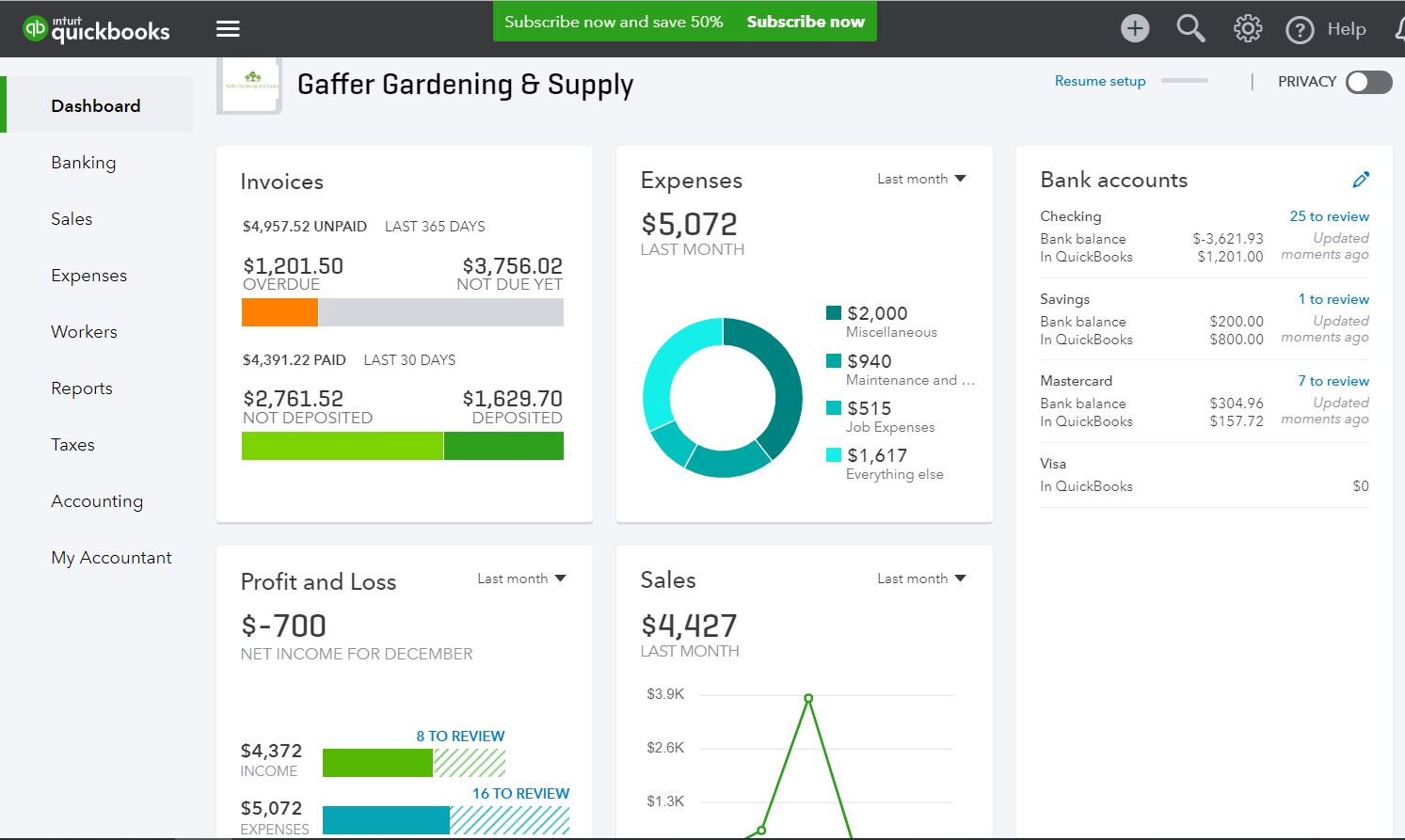
    A comprehensive dashboard view showcasing business performance metrics, enhanced by QuickBooks for efficient tracking.

    4.Wave Accounting

    Wave Accounting is a cloud-based accounting and financial management platform specifically designed for small businesses, freelancers, and entrepreneurs. Known for its simplicity and affordability, Wave empowers users to efficiently manage their financial tasks, from invoicing and expense tracking to payment processing, without the high costs often associated with accounting software.

    Key Features :

    • Invoicing  :Wave Accounting’s invoicing feature is a powerful and intuitive tool designed to help businesses manage billing efficiently, maintain professionalism, and get paid faster.Wave’s invoicing feature combines professional-quality tools, automation, and convenience into one easy-to-use platform. With no cost for core features, it’s an excellent solution for small businesses, freelancers, and entrepreneurs who want to streamline their invoicing process without breaking the bank.
    • Expense Tracking : Wave Accounting’s Expense Tracking feature is designed to streamline the management of business expenses. It simplifies tracking, categorizing, and reconciling expenses, ensuring your books are accurate and your finances are well-organized. Wave’s expense tracking is an essential tool for small businesses, freelancers, and entrepreneurs. It automates tedious tasks, provides real-time financial insights, and ensures your books are accurate. Whether you need to stay on top of daily expenses, prepare for tax season, or manage international transactions, Wave makes it simple, efficient, and accessible all without a monthly subscription fee.
    • Accounting : It automates bookkeeping tasks, provides real-time insights into financial health, and ensures compliance with accounting standards. By automating tedious tasks and providing real-time financial insights, Wave empowers users to focus on growing their business while staying on top of their finances all for free.
    • Payments : Payments feature is designed to help businesses efficiently manage their incoming payments and streamline the process of collecting payments from clients. Whether you’re working with invoices, subscriptions, or one-time payments, Wave makes it easy to track and process payments.
    • Reporting : Reporting feature is an essential tool for business owners, freelancers, and accountants to analyze financial data, monitor performance, and make informed decisions. This feature generates various reports that provide a clear picture of the financial health of a business. These reports can be customized, exported, and used for tax filing or financial analysis.


    5. Xero

    Xero is a comprehensive cloud-based accounting software designed to help small and medium-sized businesses (SMBs) manage their finances efficiently. Xero has grown to become one of the leading accounting platforms globally, with a focus on ease of use, integration capabilities, and scalability. It offers a suite of features that simplify accounting tasks such as invoicing, expense tracking, bank reconciliation, payroll, reporting, and more.

    Key Features :

    • Bank Reconciliation : Xero makes bank reconciliation easy and efficient . Xero connects to your bank and automatically imports transaction data, saving time on manual entry. The platform suggests matching bank transactions to existing entries, making it easier to reconcile accounts. If there are discrepancies, users can manually match or adjust transactions, ensuring accurate reconciliation.
    • Financial Reporting : Xero provides robust reporting tools to help businesses understand their financial performance. Generate real-time profit and loss reports to understand business income and expenses. View a snapshot of your company’s assets, liabilities, and equity to assess its financial health. Monitor your business’s cash flow to ensure you have enough liquidity to cover expenses.
    • Tax Management : Xero helps businesses manage their taxes efficiently. Set up tax rates (e.g., VAT, sales tax) and apply them automatically to transactions. Xero supports tax calculations and reporting in multiple countries, making it suitable for businesses with international operations.
    • Invoicing : Xero simplifies the process of creating, sending, and managing invoices. Choose from a variety of templates, and personalize invoices with your business logo, payment terms, and branding. Automatically track the status of invoices (sent, viewed, paid, overdue) and send reminders for overdue payments.
    • Expense Tracking : Xero helps businesses track and manage expense. Classify expenses into categories for better tracking and reporting (e.g., office supplies, utilities, etc.).  Xero connects directly with bank accounts to automatically import and categorize expenses, reducing manual data entry. Using the mobile app, users can snap photos of receipts and link them directly to expense transactions.
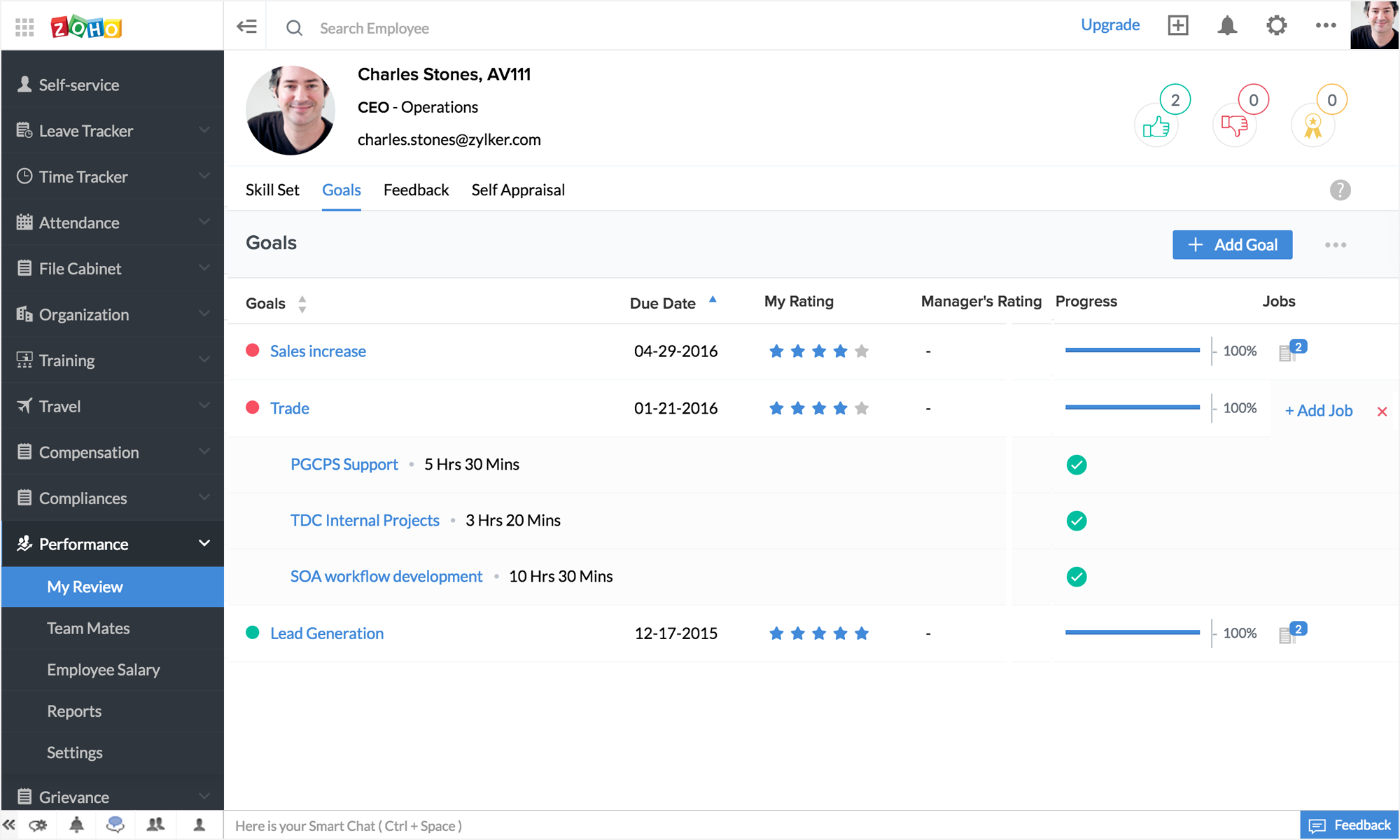
    A comprehensive Xero dashboard displaying multiple data metrics and visualizations for financial analysis and management.
    Best HRM Softwares in UAE

    Best HRM Softwares in UAE

    In today’s competitive business environment, Human Resource Management (HRM) software plays a critical role in streamlining workforce management, improving employee engagement, and ensuring compliance with labor laws in the UAE. Whether you’re a startup or an established enterprise, having the right HRM tools ensures your business thrives. In this blog, we explore some of the best HRM  softwares in UAE.

    1. Diadyn HRM

    Diadyn HRM is a modern, all-in-one HR solution tailored for businesses in the UAE. It simplifies workforce management while ensuring compliance with local regulations. It offers a localized solution for UAE businesses, ensuring compliance, scalability, and ease of use.


    Key Features:

    • Payroll Management: Handles the calculation, processing, and distribution of employee salaries and wages. It includes features like tracking working hours, managing deductions, calculating taxes, and ensuring compliance with legal requirements. The system automates payroll tasks, ensuring accurate and timely payments, generating payslips, and providing reports for financial analysis and auditing.
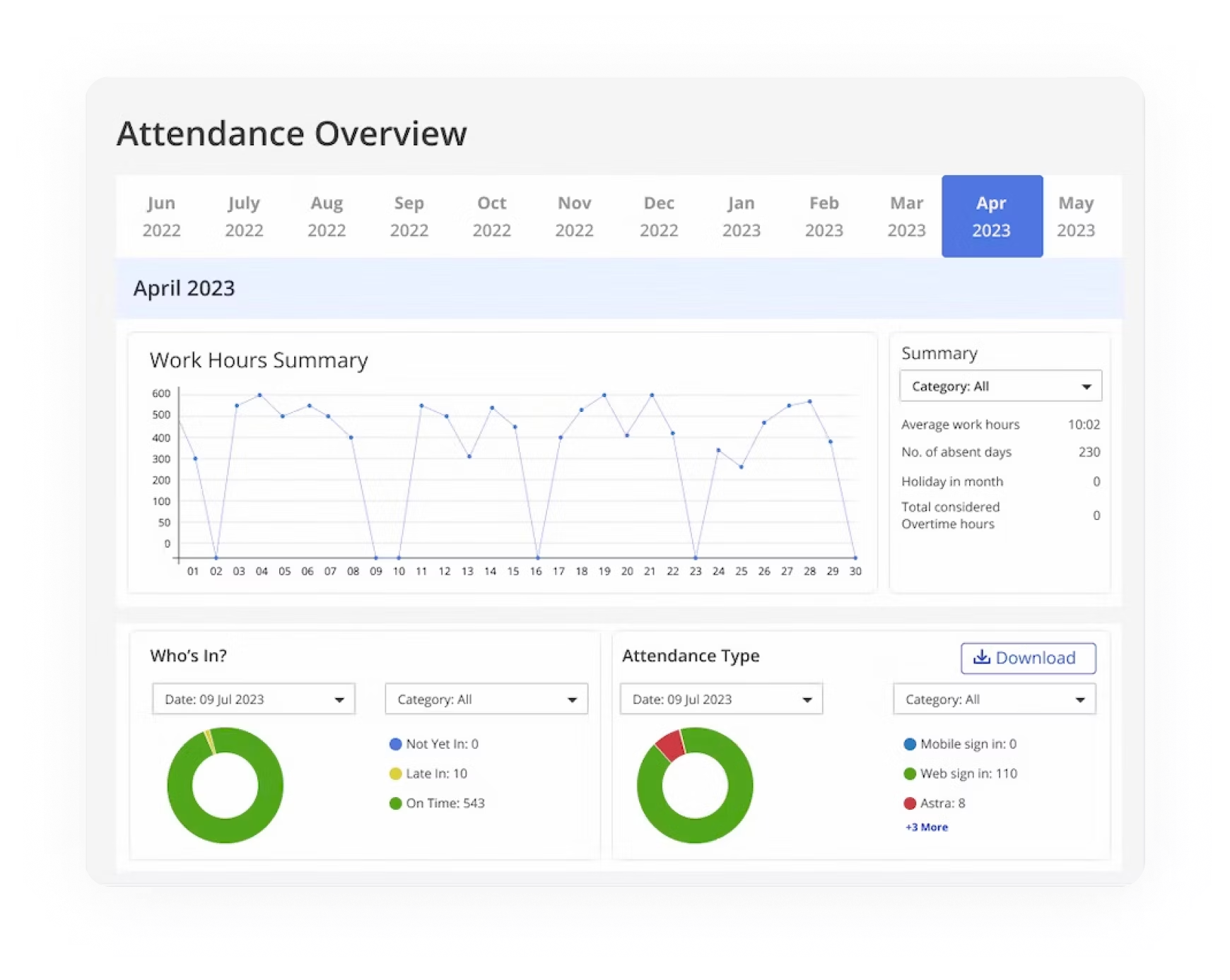
    • Attendance Management: tracks and records employee attendance, including clock-ins, clock-outs, absences, and overtime. It helps ensure accurate monitoring of work hours, manages leave requests, and generates reports for payroll processing. The system improves efficiency by automating attendance tracking, reducing errors, and ensuring compliance with company policies and labor laws.
    • Leave management :Leave management is a system that helps organizations track, manage, and approve employee leave requests. It includes features such as defining various leave types (sick leave, vacation, etc.), maintaining employee leave balances, automating the leave request and approval process, and generating reports for management..
    • Employee Management: It involves creating and maintaining employee profiles, which include important information such as personal details, job roles, and employee code. This data can be easily accessed and updated by HR staff, ensuring that accurate and up-to-date information is always available.
    • Real Time Notification: Receive instant notifications on critical HR events such as new leave requests, approvals, employee status changes, and more. Ensure timely responses and actions by getting notified the moment something happens.
    best hrm softwares in uae

    2. Zoho People

    Zoho People is a cloud-based Human Resource Management (HRM) software designed to help organizations manage their employee lifecycle and HR operations. It offers a range of features such as attendance management, leave management, performance reviews, time tracking, and employee self-service portals.

    Key Features:

      • Employee Database : Zoho People allows organizations to store all employee data, such as personal details, job history, contact information, and documents, in a centralized database. Users can create custom fields to capture additional information specific to the organization’s needs.
      • Leave Management : Create various leave types (e.g., annual leave, sick leave, casual leave) with customizable accrual policies (e.g., days per month or year). Employees can submit leave requests, which can then be reviewed and approved or rejected by their managers. Notifications are automatically sent to employees and managers for approval status.
      • Attendance Management : Track attendance in real-time using web-based or mobile clock-ins/outs, biometrics, or geo-fencing (location-based tracking). Assign employees to specific shifts, track attendance based on shift hours, and manage shift changes.
      • Time Tracker : Employees log their work hours on timesheets, allowing managers to track the time spent on specific projects or tasks. Set up time tracking for hourly workers or employees who are tracked on a daily basis, providing flexibility based on work arrangements.
      • HR Analytics & Reports : Create and generate customized reports to analyze key HR metrics such as employee performance, attendance, leave usage, and payroll data. Use analytics to assess trends in employee engagement, performance, retention, and productivity.

      3. SAP SuccessFactors

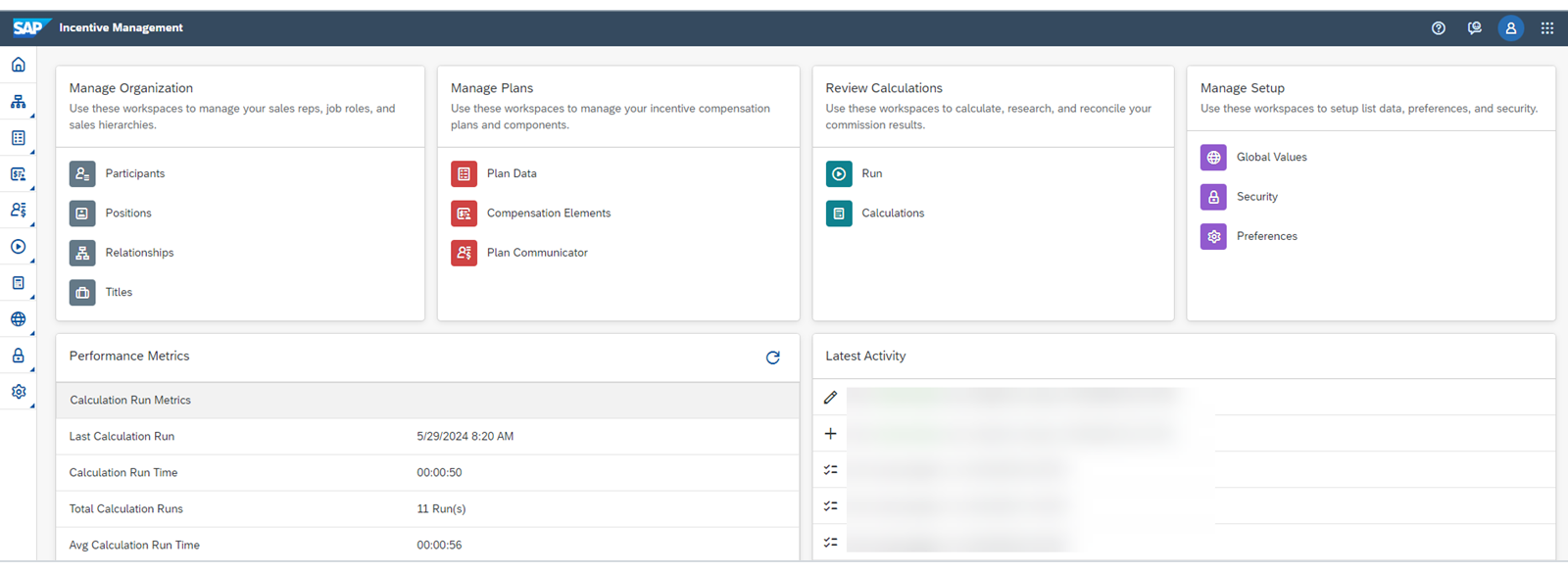
      SAP SuccessFactors is a leading Human Capital Management (HCM) solution trusted by enterprises globally, including in the UAE. It provides a robust platform to manage every aspect of human resources, from recruitment and onboarding to payroll and workforce analytics.

      Key Features :

      •  Core HR and Payroll : SAP SuccessFactors provides a robust core HR and payroll system to streamline employee data management and payroll processes. It ensures compliance with local regulations, automates repetitive tasks, and enables real-time reporting for better decision-making
      • Talent Acquisition and Recruitment : This module covers the entire talent lifecycle, including recruitment, onboarding, performance management, and succession planning. It helps organizations identify, attract, and retain top talent while fostering career growth for employees.
      • Learning and Development: The SuccessFactors LMS supports employee development through personalized learning plans, online courses, and compliance training. It integrates with various content providers and delivers a seamless learning experience across devices.
      • Performance and Goals Management :SAP SuccessFactors enables managers and employees to set, align, and track performance goals. It provides insights through real-time feedback, 360-degree reviews, and data-driven performance appraisals.
      • Workforce Analytics and Planning: This feature uses advanced analytics and reporting tools to help organizations make informed decisions about workforce strategies. It offers insights into employee trends, turnover, and productivity, enabling proactive workforce planning.

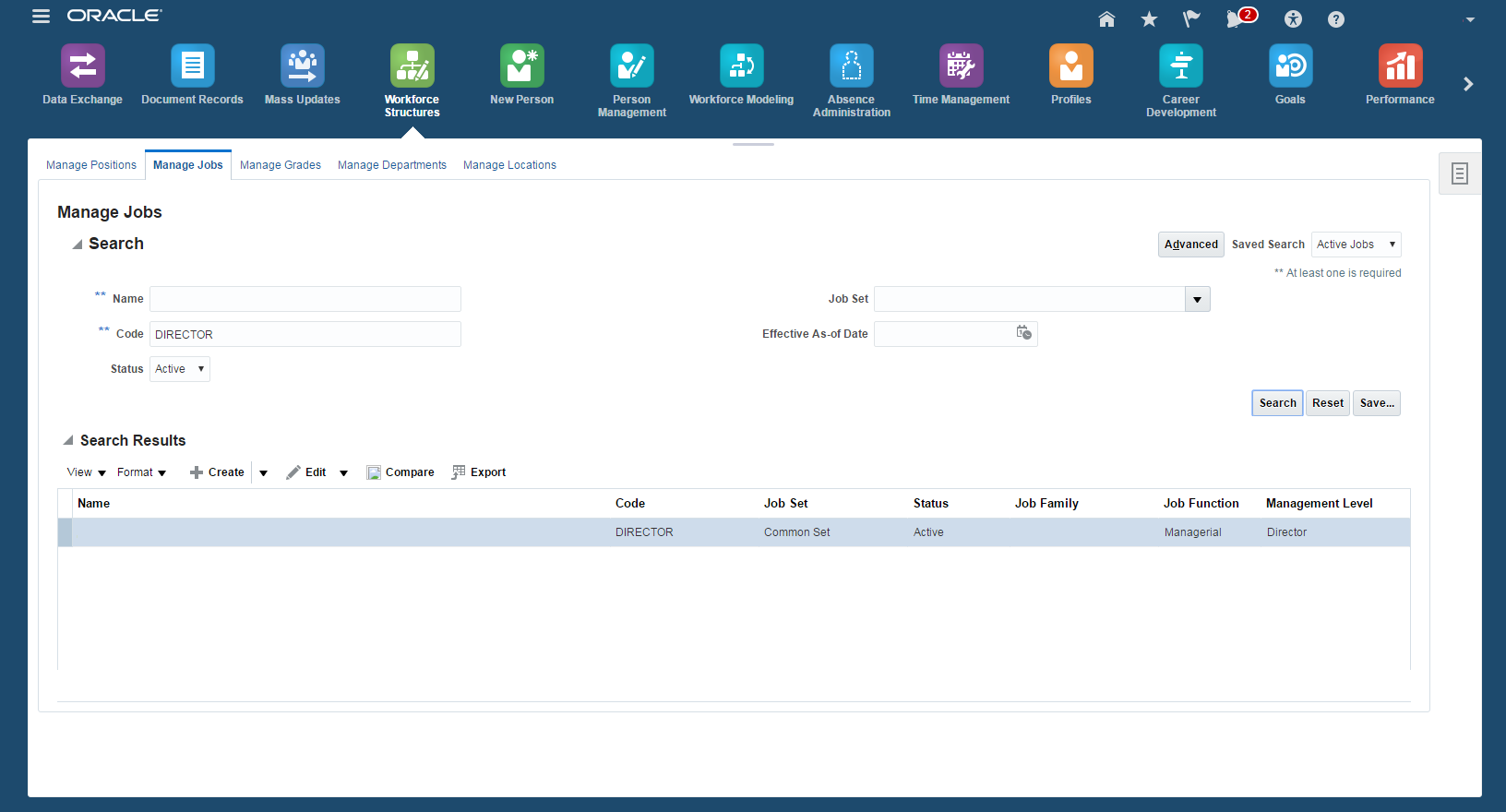
      4.Oracle Fusion HCM

      Oracle Fusion Human Capital Management (HCM) is a cloud-based solution that streamlines human resource processes and offers a unified platform for managing the employee lifecycle. Its advanced features support HR professionals and business leaders in making data-driven decisions while ensuring operational efficiency.

      Key Features:

      • Core Human Resources : Oracle Fusion HCM’s Core HR module serves as the foundation of modern HR management. It provides a centralized, secure, and scalable platform for managing employee data, streamlining HR processes, and ensuring compliance with global and local regulations. Core HR centralizes all employee-related information in a single, unified database, eliminating data silos and improving accuracy.
      • Global Compliance and Localization : One of the standout features of Oracle Fusion HCM is its ability to handle global compliance and localization, making it a go-to solution for multinational organizations. It ensures that businesses comply with regional labor laws, tax regulations, and cultural practices across different countries while offering tailored HR solutions for local requirements.
      • Employee Self-Service (ESS) : The Employee Self-Service portal enables employees to access and manage their personal, professional, and payroll-related information independently. This feature is designed for convenience, allowing employees to perform a variety of tasks without HR intervention. Employees can view and update their personal details, such as contact information, emergency contacts, and addresses.
      • Automation of HR Processes : Oracle Fusion Human Capital Management (HCM) is a comprehensive suite of HR applications designed to streamline HR processes through automation, enhancing productivity, and ensuring seamless management of the workforce. The automation of HR processes in Oracle Fusion HCM involves the integration of various modules within the platform, such as recruitment, payroll, performance management, and employee records, to ensure that HR functions are efficient, data-driven, and aligned with organizational goals
      • Analytics and Workforce Insights :Oracle Fusion Human Capital Management (HCM) offers advanced analytics and workforce insights that help HR leaders and organizations make data-driven decisions to improve workforce management, optimize employee performance, and achieve business objectives. The Analytics and Workforce Insights capabilities in Oracle Fusion HCM are powered by its integrated cloud infrastructure and sophisticated data tools that leverage real-time insights, predictive analytics, and visual reporting.


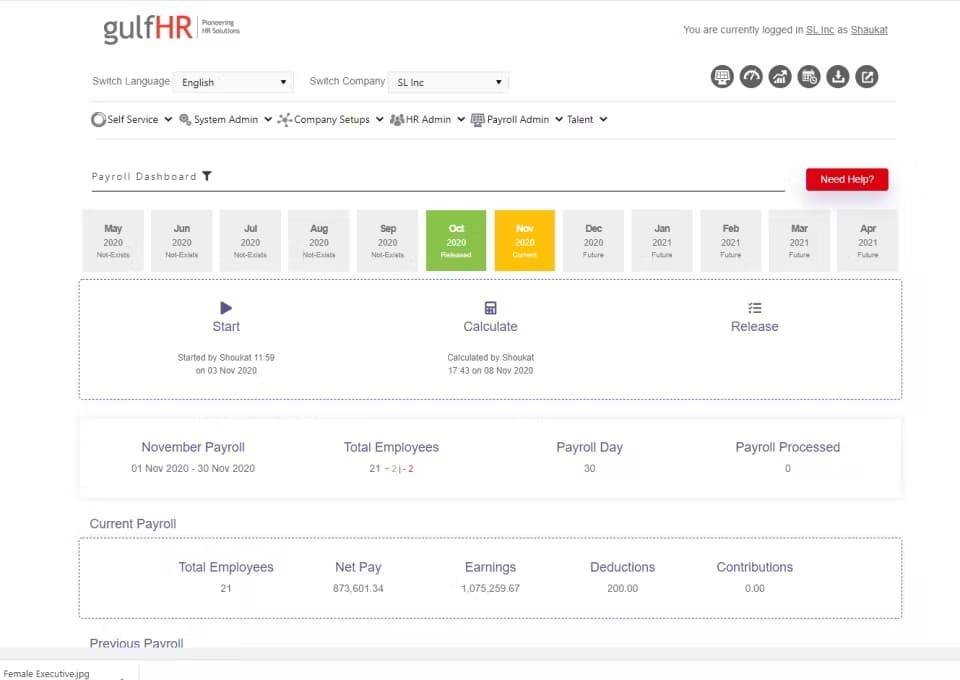
      5. Gulf HR

      Gulf HR is a comprehensive and user-friendly human resource management software specifically designed to meet the needs of businesses in the GCC (Gulf Cooperation Council) region. It simplifies HR processes while ensuring compliance with regional labor laws and corporate policies. Here’s a detailed breakdown of its features:

      Key Features:

        • Employee Self Service : Employee Self-Service (ESS) in Gulf HR Software is a critical feature in Human Resource Management Systems (HRMS) that enables employees to access and manage various HR-related tasks autonomously, through an online portal or mobile application. In Gulf countries, where businesses have a mix of local and expatriate workers, ESS plays a significant role in streamlining HR processes, improving employee engagement, and ensuring compliance with local labor laws. This software solution is designed to increase transparency, reduce administrative burdens, and provide employees with more control over their HR-related activities.
        • Payroll and Compensation Management :Gulf HR software automates the calculation of employees’ salaries based on various factors such as basic salary, allowances (housing, transportation, food, etc.), overtime, bonuses, and deductions (e.g., insurance, taxes, or social security contributions). This reduces human errors and ensures that employees are paid correctly and on time. Many Gulf countries offer specific allowances to employees, such as accommodation and transportation allowances, which vary based on job roles, employee nationality, and other factors. The payroll system can be customized to reflect these variations accurately.
        • Leave and Attendance Management : Managing employee time off and ensuring that organizations maintain operational efficiency while complying with local labor laws. This functionality helps track employee attendance, leave requests, and balances, automating the approval process and generating reports that provide insights into workforce productivity. In the Gulf region, where diverse workforces (locals and expatriates) are employed across multiple industries, a robust leave and attendance management system is essential.
        • Analytics : Gulf HR software tracks employee demographic data, such as age, gender, nationality, job title, and department. This information helps HR departments understand the composition of the workforce and make decisions about diversity and inclusion, as well as workforce planning. Tracks absenteeism rates, tardiness, and frequent leave patterns (e.g., sick leave). Analytics provide insights into trends that help HR teams address absenteeism issues, improve attendance policies, and identify potential underlying causes.
        • Recruitment : Gulf HR software allows HR teams to create and post job vacancies in a centralized system. These job listings can be shared across multiple channels, including the company’s website, job boards, and social media platforms. It includes a built-in resume database where HR teams can store, search, and categorize candidate resumes. This database can be leveraged for future hiring needs, making it easier to find potential candidates without having to post new vacancies.

      6.GreytHR

      GreytHR is a trusted and widely used Human Resource Management (HRM) software, offering cloud-based solutions for small to medium-sized businesses. It simplifies HR operations, improves efficiency, and ensures compliance with statutory regulations. Here’s a detailed overview of its features:

      Key Features:

        • Employee Management : Grey HR allows HR teams to create detailed profiles for each employee, including personal information, contact details, job history, compensation details, and performance evaluations. Employees can access and update their own profiles, manage their personal information, and track their performance metrics, leaves, and attendance.
        • Recruitment and Onboarding : Grey HR supports posting job openings across multiple platforms, allowing businesses to attract a broader talent pool. Once a candidate is hired, Grey HR facilitates a seamless onboarding process, helping new hires complete necessary forms, receive orientation, and get familiar with the company policies and culture.
        • Payroll and Compensation Management : Grey HR ensures timely and accurate payroll processing by automating calculations for salaries, bonuses, deductions, and taxes. The system ensures compliance with local tax regulations, including deductions, withholdings, and contributions required by law.
        • Leave and Attendance Management : Grey HR tracks employee leave, including vacation, sick leave, and personal leave, making it easy to manage leave requests and balances.Employees can clock in and clock out via an integrated attendance system. Grey HR can also track attendance trends, absenteeism, and punctuality.
        • Performance Management : HR and managers can set performance goals for employees and track progress towards achieving them.Grey HR supports comprehensive feedback from peers, managers, and direct reports to provide a holistic view of an employee’s performance. The system simplifies performance review cycles, helping managers assess employee performance, identify development needs, and make data-driven decisions.

      Final Thoughts

      The UAE’s diverse workforce and unique regulatory landscape necessitate HRM solutions that are both flexible and region-specific. Whether you’re a small business or a large enterprise, the right software can transform your HR processes, making them more efficient, transparent, and aligned with your organizational goals.

      Diadyn  HRM solution ticks all the right boxes, making it a strong contender for organizations looking to modernize their HR processes. Whether it’s improving operational efficiency or boosting employee satisfaction, the right HRM software can make a significant difference.

      Best CRM Softwares for Small Business: Detailed Guide to Top Solutions

      Best CRM Softwares for Small Business: Detailed Guide to Top Solutions

      In this blog, we explore some of best CRM softwares for small business for  managing customer relationships effectively is crucial for small businesses looking to grow. Customer Relationship Management (CRM) software is essential for tracking leads, managing customer interactions, and optimizing sales. However, with so many CRM options available, choosing the best one can be challenging. Here’s an in-depth look at some of the top CRM software options for small businesses, along with the key benefits each offers.

      1. Diadyn CRM

      Diadyn CRM offers a range of features tailored for small  businesses, focusing on streamlining customer relationships and optimizing workflows. Key functionalities often include lead management, sales pipeline tracking, customer insights, automation tools, and seamless integration with existing systems. The platform is designed to enhance team collaboration and drive customer engagement through real-time data and customized reporting.

      Key Features:

      • Follow-up Reminders: Automates reminders for key customer interactions.
      • Contact Management: Centralized organization of contact information.
      • Email Integration: Seamlessly manage email interactions.
      • Workflow Automation: Reduces manual tasks through automation.
      • Sales Pipeline & Lead Management: Visualize and track the sales process.
      • CRM Reporting: Detailed reporting and analytics.

      Pricing: Paid plans starting at $10 per user per month

      best CRM softwares for small business

      2. HubSpot CRM

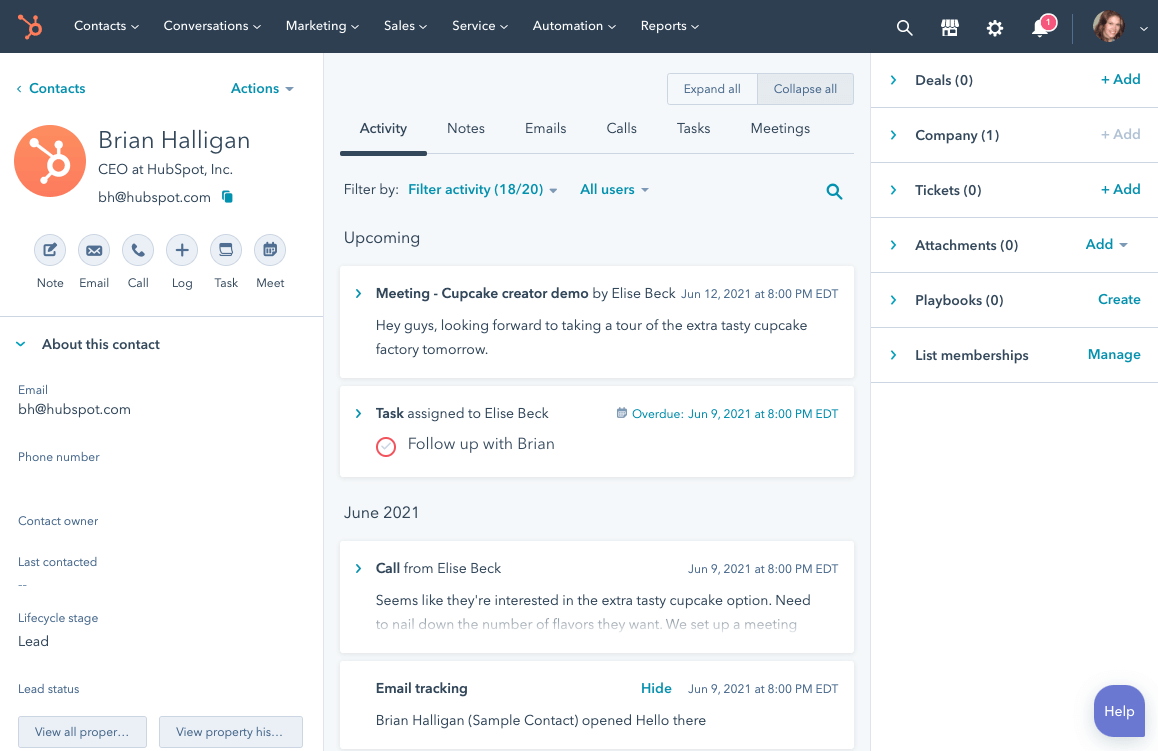
      HubSpot CRM is a widely recognized customer relationship management platform, especially popular among small and medium-sized businesses. It provides a range of features designed to help teams manage customer interactions and streamline their sales processes. Here are some of the standout features and benefits:

      Key Features:

        • User-Friendly Interface: The platform is designed to be intuitive, enabling users to navigate easily without extensive training.
        • Sales Pipeline Management: Users can visualize their sales pipeline, tracking deals and stages, which helps teams manage leads more effectively.
        • Email Integration: HubSpot CRM integrates with email, allowing users to track communication with leads and customers directly from the CRM interface.
        • Automation Tools: The CRM includes automation features for tasks such as follow-ups and reminders, which help improve efficiency and ensure timely interactions with customers.
        • Reporting and Analytics: HubSpot provides insightful analytics and reports, allowing businesses to monitor performance and make data-driven decisions.
        • Integrations: The platform integrates seamlessly with various third-party applications, including marketing tools, which can enhance its functionality.

      Pricing: HubSpot CRM offers a strong free tier, with advanced features available as paid add-ons

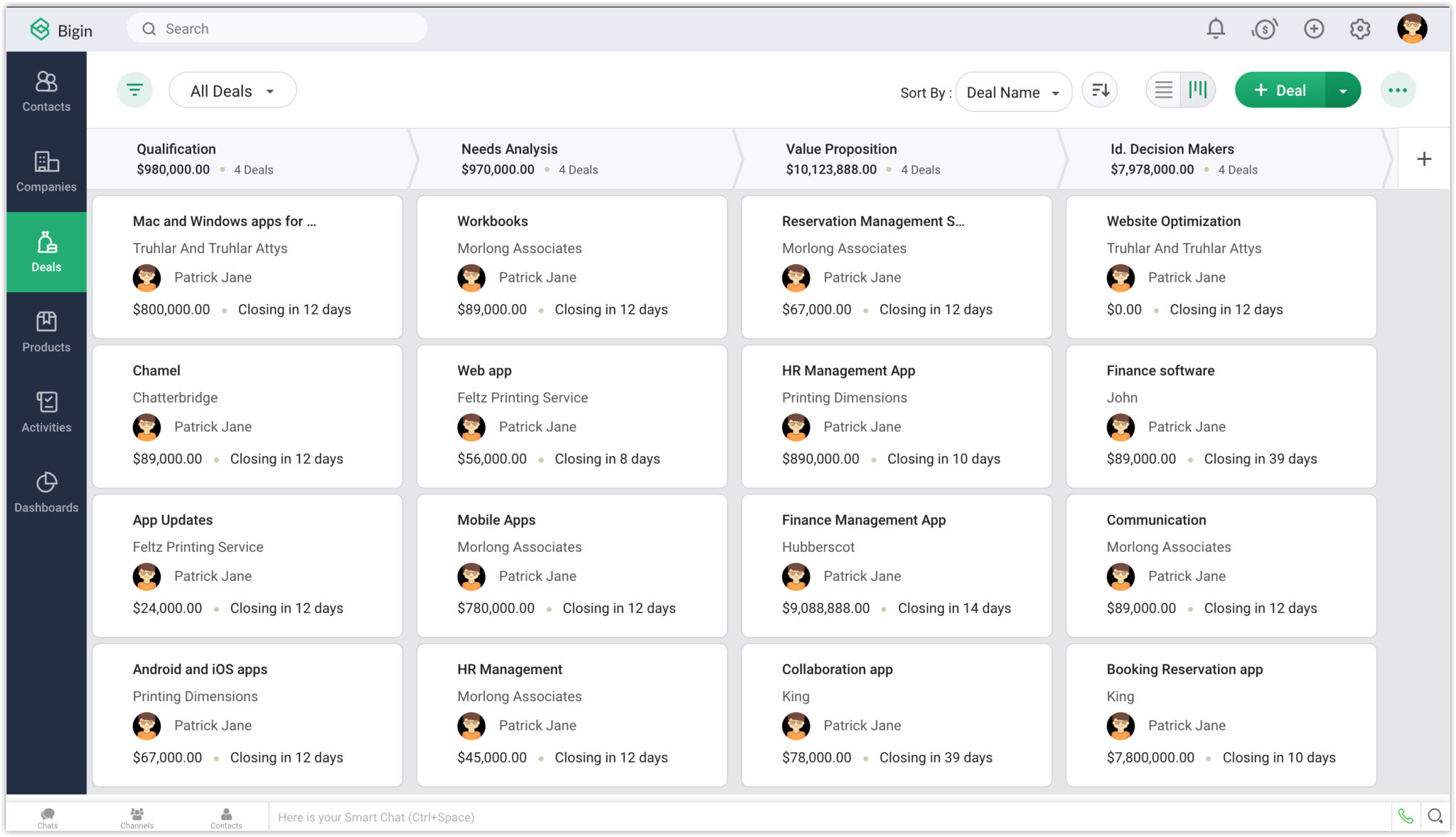
      3.Zoho Bigin

      Zoho Bigin is a CRM solution designed specifically for small businesses looking to streamline their sales process without the complexity of a large-scale CRM. Zoho Bigin offers an easy-to-use, affordable platform with the essential features that small businesses need to manage customer relationships effectively.

      Key Features:

      • Simple Interface: Zoho Bigin offers a user-friendly interface that simplifies the CRM experience, making it easy for small teams to get started without extensive training.
      • Pipeline Management: The platform provides a visual sales pipeline that allows users to track deals through various stages, helping teams manage their sales processes effectively.
      • Contact and Lead Management: Users can easily manage contacts and leads, including tracking interactions and setting reminders for follow-ups.
      • Automation: Bigin includes automation capabilities that help reduce manual tasks, such as sending follow-up emails or assigning leads to team members.
      • Customization: The CRM allows businesses to customize fields, modules, and workflows according to their specific needs, making it adaptable to various industries.
      • Integration with Zoho Suite: Being part of the Zoho ecosystem, Bigin integrates seamlessly with other Zoho applications, enhancing its functionality and providing a comprehensive business management solution.
      • Mobile App: Zoho Bigin offers a mobile app, enabling users to manage their CRM tasks on the go, which is ideal for teams that need flexibility.

      Pricing : Free for up to one user. with premium plans starting affordably

      zoho bigin

      4. Pipedrive

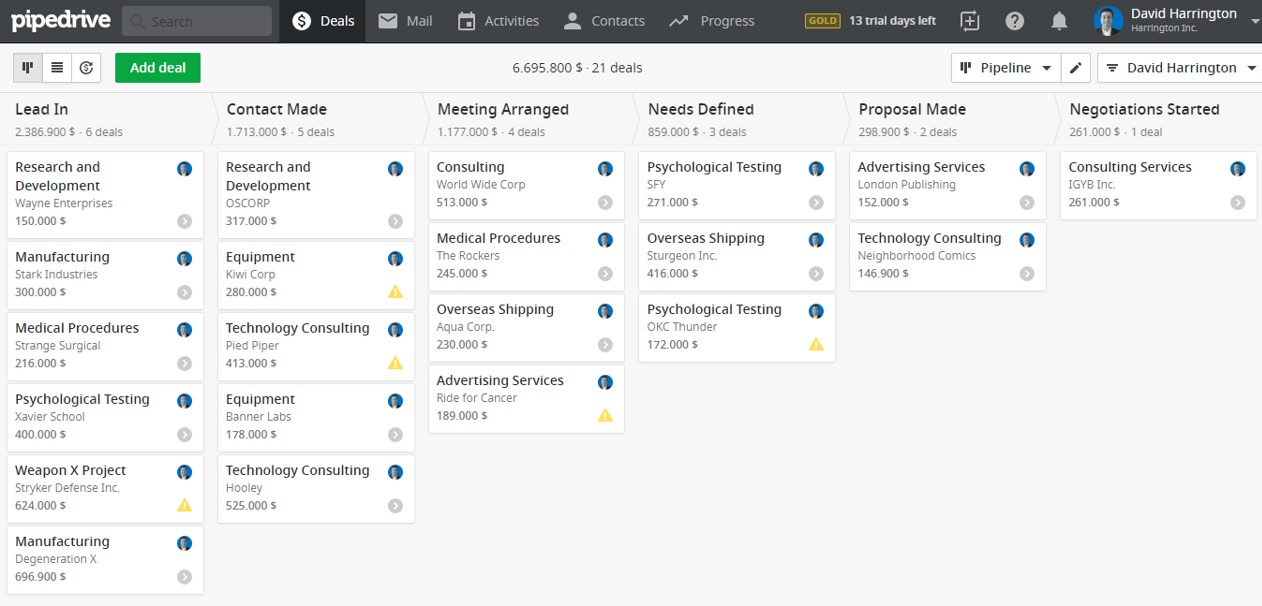
      Pipedrive CRM is a sales-focused customer relationship management tool designed to help small  businesses effectively manage their sales pipelines. Known for its simplicity, Pipedrive provides robust sales automation, visualization, and task management tools to help sales teams close more deals efficiently.

      Key Features:

        • Visual Sales Pipeline: Pipedrive’s primary feature is its visual sales pipeline, which allows users to track leads and deals in a straightforward, drag-and-drop interface.
        • Activity and Goal Tracking: Users can set goals, track activities, and get reminders for follow-ups, ensuring no opportunities are missed.
        • Automation: The platform provides automation capabilities for repetitive tasks such as sending emails, updating deals, and assigning leads, which helps streamline workflows.
        • Integrations: Pipedrive integrates with numerous third-party applications, including email providers, marketing tools, and customer support software, making it versatile for various business needs.
        • Reporting and Analytics: It offers robust reporting tools that provide insights into sales performance, pipeline health, and individual contributions, helping businesses make data-driven decisions.

        Pricing : Start with a 14-day free trial, with monthly fees thereafter

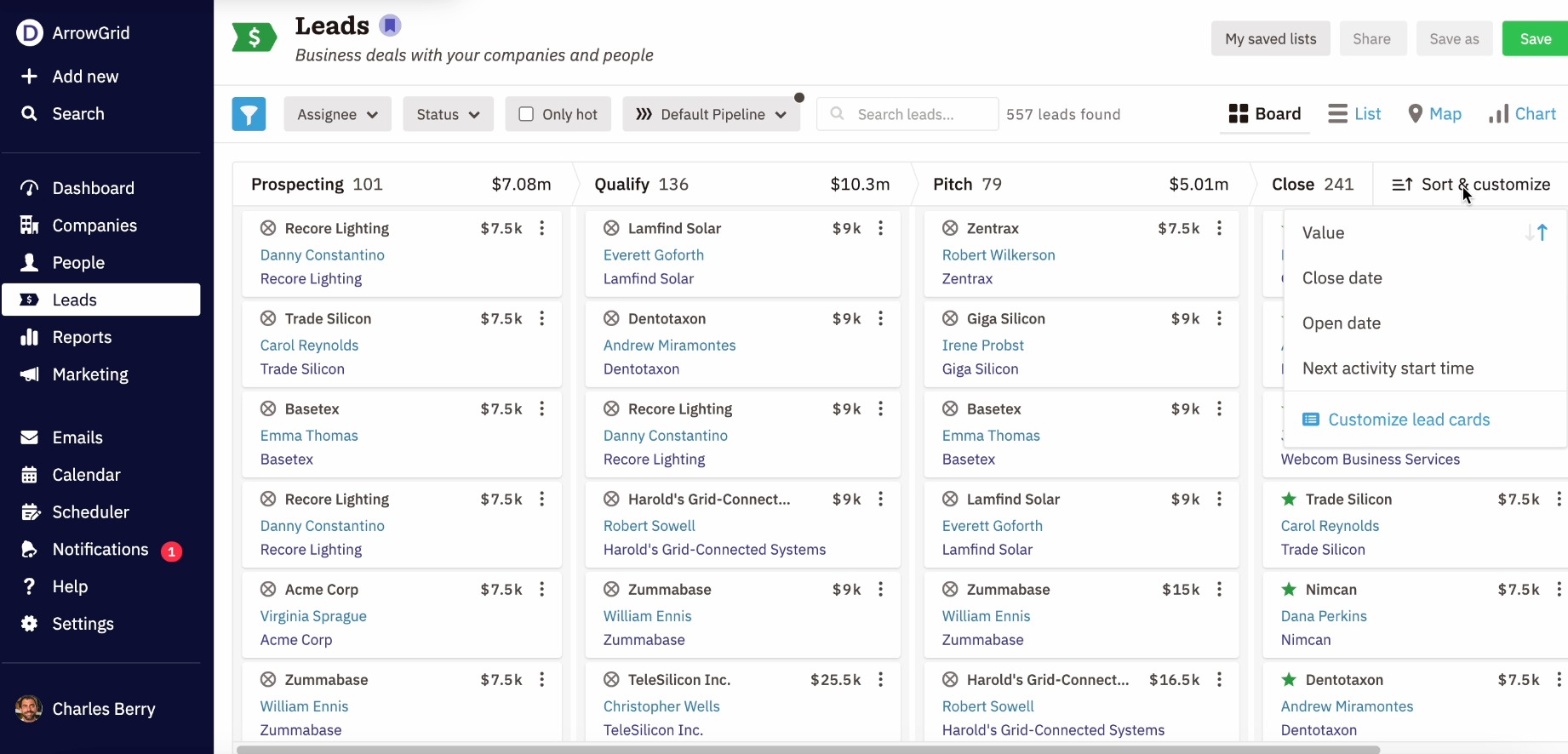
        5.Nutshell CRM

        Nutshell CRM is a user-friendly customer relationship management solution designed primarily for small to medium-sized businesses. It combines sales automation, robust reporting, and collaboration features to help teams manage their customer relationships more effectively. Here are some of its key features and benefits:

        Key Features:

          • Sales Pipeline Management: Nutshell provides a visual sales pipeline that helps users track leads and deals through various stages, making it easier to manage the sales process.
          • Contact and Lead Management: Users can easily manage and segment their contacts and leads, track interactions, and set follow-up reminders.
          • Email Integration: Nutshell integrates with email platforms, allowing users to send and receive emails directly within the CRM and track interactions with customers.
          • Reporting and Analytics: The platform offers customizable reporting features, enabling businesses to analyze sales performance and customer interactions to make informed decisions.
          • Collaboration Tools: Nutshell allows team members to collaborate effectively by sharing notes, tagging colleagues, and assigning tasks, fostering better communication within the team.

          Pricing : Start with a 14-day free trial.with premium features at affordable rates.

          6. Keap (formerly Infusionsoft)

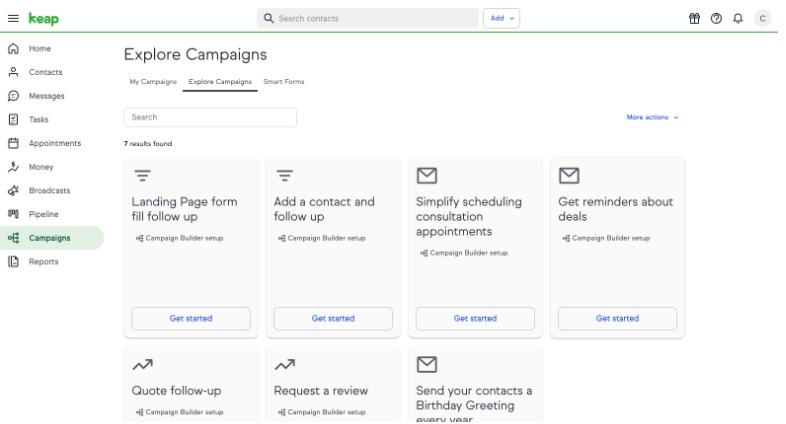
          Keap, formerly known as Infusionsoft, is a powerful customer relationship management (CRM) solution designed specifically for small businesses. It combines CRM features with marketing automation tools to help businesses manage customer relationships and streamline their sales processes effectively. Here are some of its key features and benefits:

          Key Features:

          • Contact Management: Keap allows users to organize and manage customer contacts efficiently, storing important information, notes, and interaction history in one place.
          • Sales Pipeline Management: Users can visualize their sales process through customizable pipelines, helping them track leads and deals at various stages.
          • Marketing Automation: Keap offers robust marketing automation tools that enable users to create targeted email campaigns, automated follow-ups, and drip marketing sequences based on customer behavior.
          • E-commerce Capabilities: Businesses can create online stores, manage product catalogs, and process payments directly through the CRM, making it a comprehensive solution for e-commerce.
          • Appointment Scheduling: Keap includes built-in appointment scheduling tools, allowing customers to book meetings or consultations directly through the business’s website.
          • Reporting and Analytics: The platform provides detailed reporting features to track sales performance, marketing campaign effectiveness, and overall business metrics.
          • Mobile Access: With its mobile app, users can access customer information, manage tasks, and respond to leads on the go, enhancing flexibility for sales teams.

          Pricing : Premium features at affordable rates.

          Benefits of Using CRM Software for Small Businesses


          • Improved Customer Relationships: A CRM centralizes customer data, making it easier to track interactions and tailor responses, which leads to improved customer satisfaction and loyalty.
          • Streamlined Sales Processes: Automate repetitive tasks such as follow-ups, notifications, and record updates, which lets your team focus more on selling and less on administrative tasks.
          • Data-Driven Decision Making: Analyze customer data to spot trends and make informed decisions about marketing and sales strategies. Most CRMs offer reports and dashboards to provide a clear view of business performance.
          • Enhanced Collaboration: Many CRMs are cloud-based, allowing team members to access information in real-time from any location. This is especially valuable for remote teams or businesses with mobile workforces.
          • Scalability: The best CRMs grow with your business, allowing you to add more users and features as needed. This scalability ensures you won’t outgrow the system as your needs evolve.

          Final Thoughts

          Choosing the right CRM software for your small business involves understanding your specific needs, budget, and future growth plans. Each CRM solution offers distinct strengths, whether you prioritize affordability, customization, user-friendliness, or advanced features. Start with a trial of the CRM that best fits your requirements and evaluate how it enhances your business workflows and customer relationships.

          Diadyn CRM provides small businesses with a powerful, user-friendly tool that enhances customer relationship management. With its affordability, customization options, and comprehensive feature set, Diadyn CRM is a valuable investment for any small business looking to improve efficiency and drive growth.