What is CRM Software? A Beginner’s Guide

What is CRM Software? A Beginner’s Guide
what is crm

Customer Relationship Management (CRM) software is a powerful tool that helps businesses manage interactions with customers, streamline processes, and improve relationships. Whether you are a small startup or a large enterprise, CRM software can enhance customer satisfaction, boost sales, and improve productivity.

In this guide, we’ll explore what CRM software is, how it works, and why your business needs it.

What is CRM Software?

CRM software, or Customer Relationship Management software, is a technology solution designed to help businesses manage, track, and enhance their interactions with customers and potential clients. It acts as a centralized platform to store customer data such as contact information, purchase history, preferences, and communication records  making it easily accessible for teams. Beyond data storage, CRM software automates and streamlines key processes like sales tracking, lead management, marketing campaigns, and customer support. It also provides analytics and reporting tools to uncover insights, enabling businesses to personalize customer experiences, improve retention, and drive sales growth.

Key Functions of CRM Software:

  • Contact Management – Stores customer details, purchase history, and communication logs.
  • Sales Automation – Tracks leads, automates follow-ups, and manages sales pipelines.
  • Marketing Integration – Helps run email campaigns, track responses, and analyze customer behavior.
  • Customer Support – Organizes support tickets, chat interactions, and issue resolutions.
  • Reporting & Analytics – Provides insights into customer trends, sales performance, and team productivity.

Types of CRM Software

Depending on business needs, CRM software can be categorized into three main types:

  • Operational CRM –Operational CRM focuses on automating and streamlining day-to-day customer-facing processes, such as sales, marketing, and customer service. It aims to improve efficiency by automating repetitive tasks and ensuring smooth interactions with customers at every touchpoint.
  • Analytical CRM –  Analytical CRM focuses on collecting, analyzing, and interpreting customer data to provide actionable insights. It helps businesses understand customer behavior, predict trends, and make data-driven decisions to improve strategies.
  • Collaborative CRM – Collaborative CRM emphasizes communication and coordination between teams, departments, and even external stakeholders (e.g., vendors or partners). It ensures that everyone involved in customer interactions has access to the same up-to-date information.

Benefits of Using CRM Software

  • Centralized Customer Data Management : CRM software acts as a single repository for all customer-related information, consolidating data from various sources into one accessible platform. This includes contact details, purchase history, communication logs (emails, calls, chats), and even social media interactions.
  • Improved Customer Relationships : CRM software helps businesses build stronger, more personalized relationships with customers by providing insights into their needs, preferences, and behaviors.
  • Enhanced Sales Efficiency and Revenue Growth :CRM software streamlines the sales process, helping teams work smarter, close deals faster, and identify opportunities for upselling or cross-selling.
  • Streamlined Marketing Campaigns : CRM software empowers marketing teams to create, manage, and analyze campaigns with precision, ensuring they reach the right audience with the right message.

    • Better Customer Support and Satisfaction: CRM software enhances customer service by providing tools to manage inquiries, resolve issues quickly, and maintain high satisfaction levels.
    • Data-Driven Decision Making : CRM software provides analytics and reporting tools to help businesses make informed decisions based on customer data.

    What does a CRM system do?

    A CRM system, or Customer Relationship Management system, is a powerful tool that helps businesses manage, organize, and optimize their interactions with customers and prospects. At its core, a CRM system centralizes customer data such as contact details, purchase history, and communication logs into a single platform, making it easy to access and analyze. It streamlines key business processes by automating tasks like lead tracking, sales forecasting, and email marketing, while also enhancing customer support through ticketing systems and live chat features. By providing actionable insights through analytics and reporting, a CRM system empowers teams to personalize customer experiences, improve retention, and boost sales efficiency. Whether you’re a small business nurturing leads or an enterprise scaling operations, a CRM system drives better relationships and business growth.

    Final Thoughts

    Choosing the right CRM software can transform the way your business manages customer relationships, streamlines workflows, and drives growth. Whether you are a small business or a large enterprise, investing in a robust CRM solution will help improve efficiency and customer satisfaction.

    Ready to take your customer relationship management to the next level? Book a Meeting with Diadyn CRM experts today and find the perfect CRM solution for your business

    Best Task Management Software Tools for Boosting Productivity

    Best Task Management Software Tools for Boosting Productivity

    In today’s fast-paced work environment, effective task management is essential for staying organized, meeting deadlines, and maximizing productivity. Whether you’re a freelancer, a small business owner, or part of a large corporation, using the right task management tool can streamline your workflow and improve team collaboration. Here are some of the best task management software tools foor boosting productivity.

    1. Diadyn Task

    Diadyn Task Management Solution. Designed for teams of all sizes, our platform helps you organize tasks, set priorities, track progress, and collaborate efficiently. Whether you're managing daily tasks or large projects, our intuitive tool ensures seamless execution and increased efficiency.

    Key Features:

    • Task Organization & Prioritization – Create, assign, and prioritize tasks for better workflow management.
    • Real-time Collaboration – Share updates, comments, and attachments to keep teams aligned.
    • Deadline & Reminder Alerts – Stay on track with automated notifications and due date reminders.
    • Progress Tracking : – Monitor team performance with insightful analytics
    Best Task Management Software Tools for Boosting Productivity

    2.Todoist

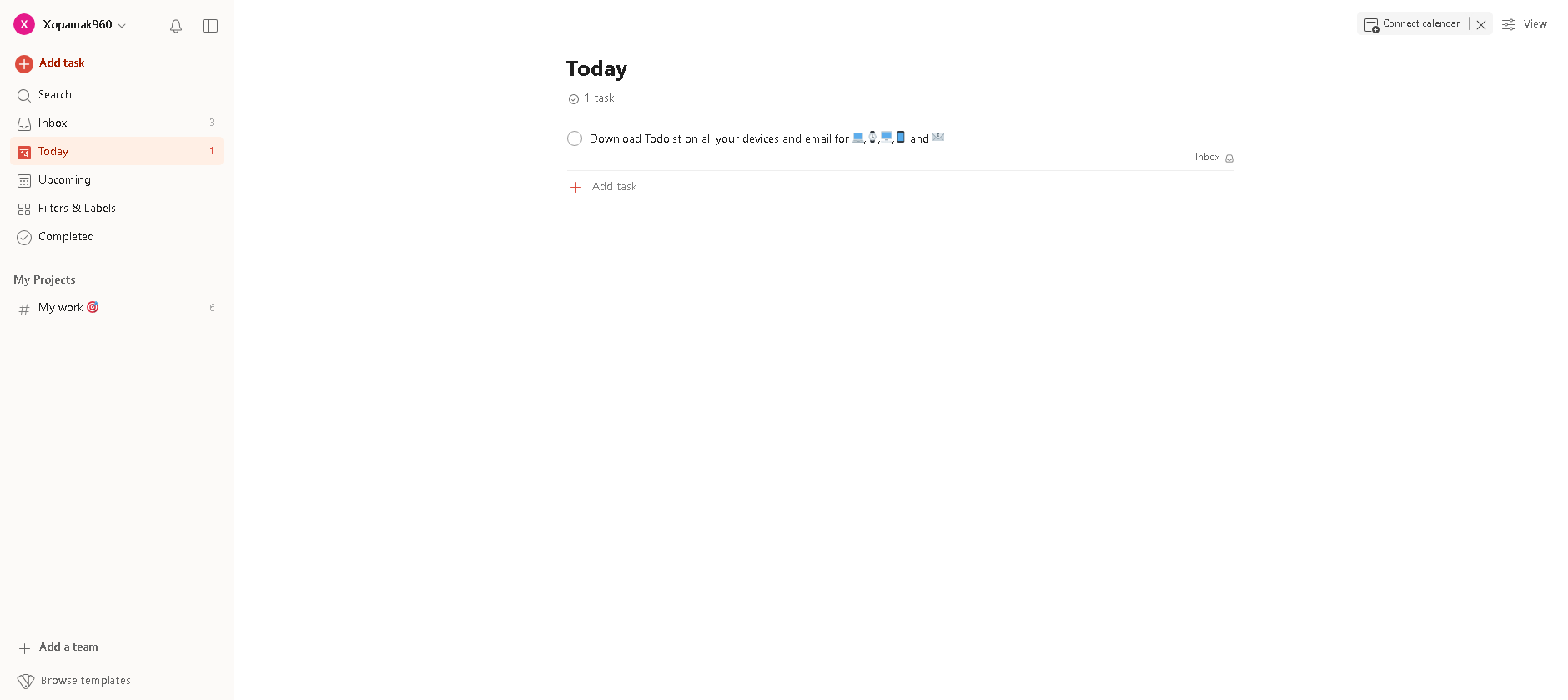
    Todoist is a powerful and intuitive task management tool designed to help individuals and teams stay organized, focused, and productive. Whether you're managing daily to-dos, planning complex projects, or collaborating with a team, Todoist ensures everything stays on track with smart features and seamless integrations.

    Key Features:

    • Task Organization & Prioritization – Easily create tasks, set due dates, and prioritize what matters most.
    • Recurring Reminders – Set recurring due dates for tasks to automate routine responsibilities.
    • Collaboration Tools – Assign tasks, add comments, and share files with team members.
    • Cross-Platform Access – Available on web, mobile, and desktop for on-the-go task management.
    • Smart Productivity Insights – Track your progress with detailed reports and analytics.
    • Seamless Integrations – Connect with apps like Google Calendar, Slack, Trello, and more.

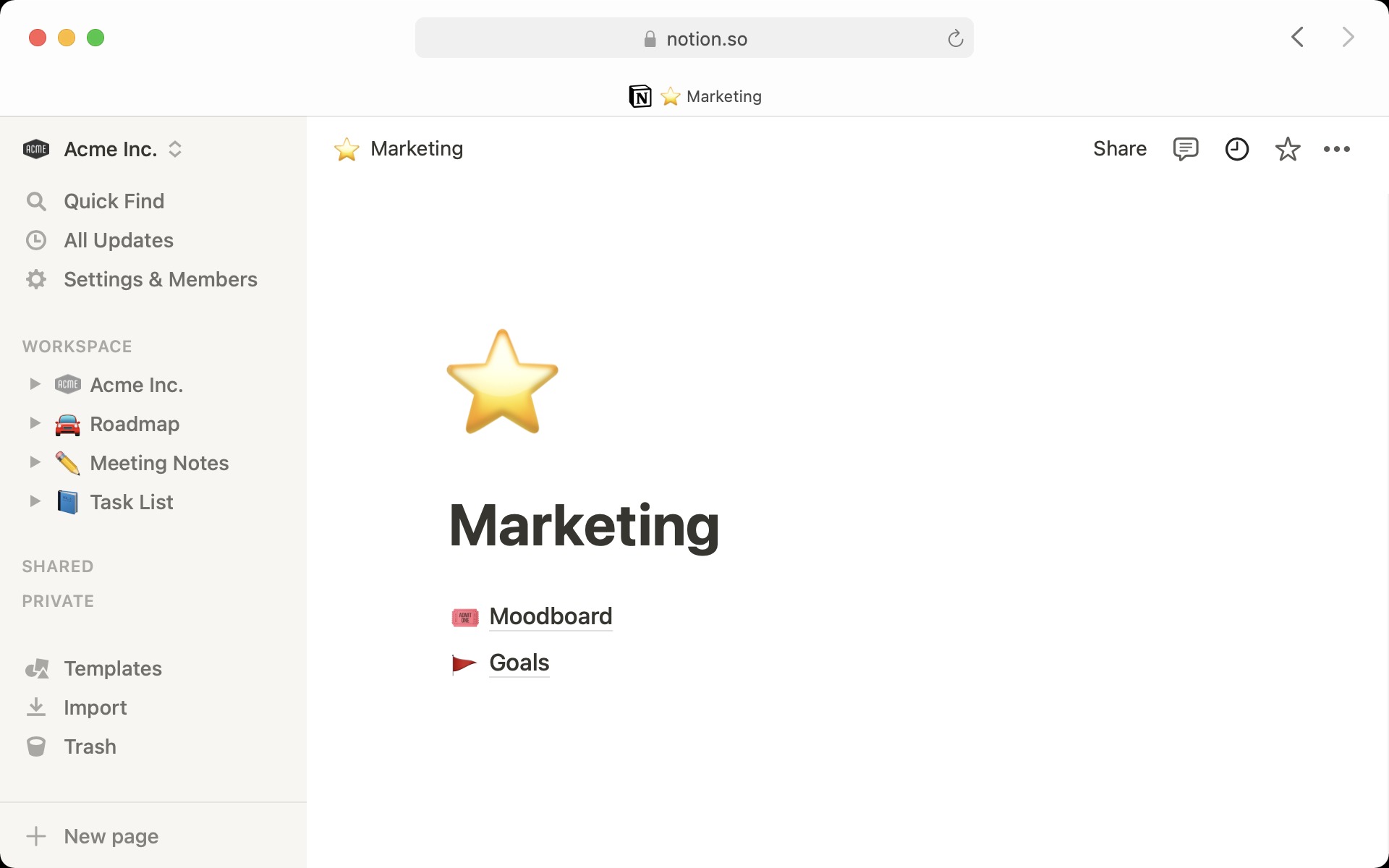
    3.Notion

    Notion is a powerful, all-in-one workspace that combines task management, note-taking, database organization, and team collaboration into a single platform. Whether you're an individual looking to streamline your daily tasks or a team managing complex projects, Notion offers a flexible and customizable environment to stay organized and boost productivity.

    Key Features:

    • Task & Project Management – Create to-do lists, set deadlines, assign tasks, and track progress effortlessly.
    • Flexible Notes & Documents – Take rich-text notes, embed multimedia, and structure information your way.
    • Customizable Databases – Organize data using tables, kanban boards, calendars, and more.
    • Team Collaboration – Share workspaces, comment on pages, and collaborate in real-time.
    • Templates & Automation – Use pre-built templates or create your own for repetitive workflows.
    • Cross-Platform Sync – Access your work on desktop, mobile, and web seamlessly.

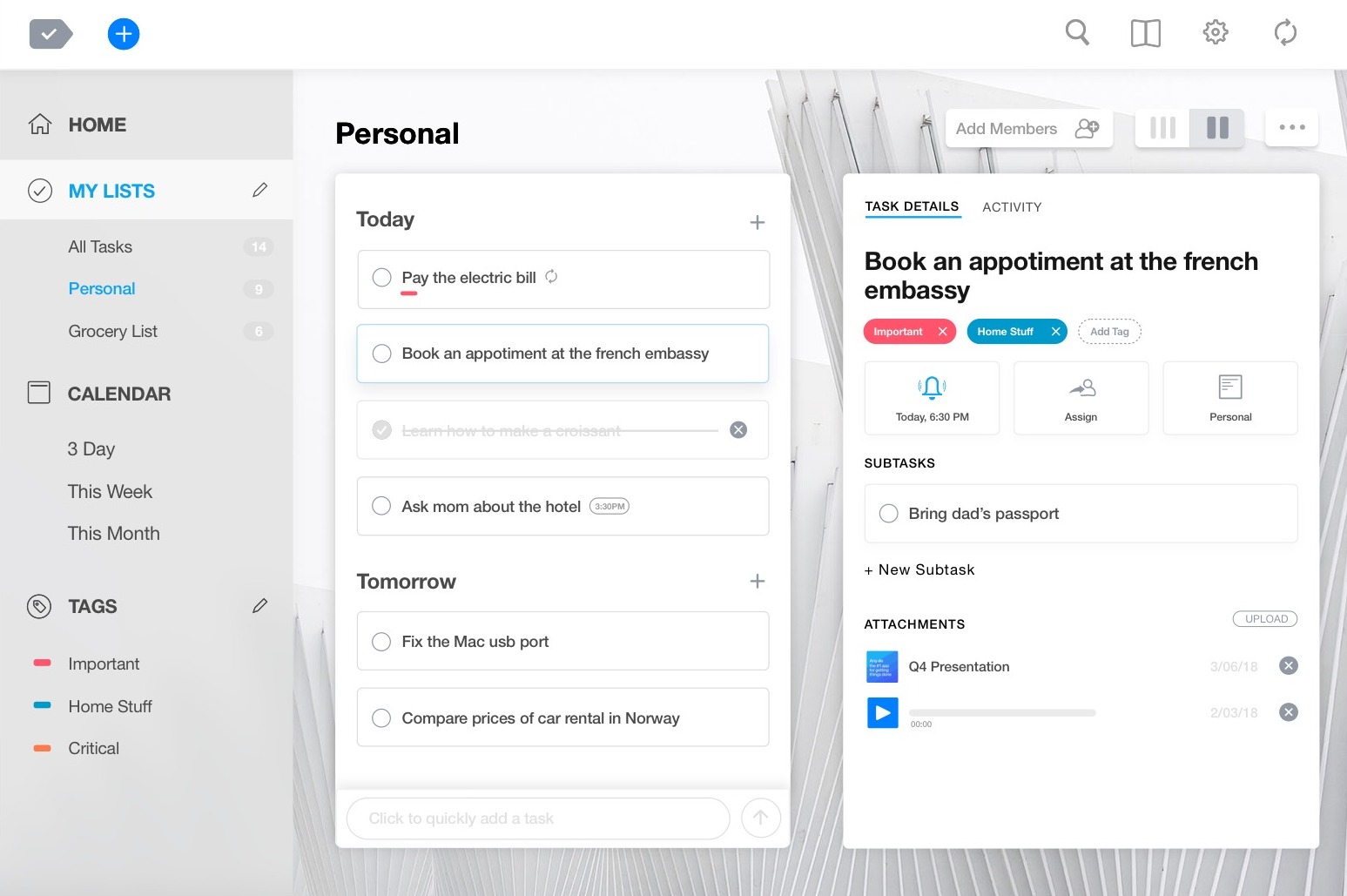
    4.Any.do

    Any.do is a powerful task management and productivity app designed to help individuals and teams stay organized, manage tasks, and meet deadlines effortlessly. With its intuitive interface, smart reminders, and seamless integrations, Any.do ensures you never miss an important task—whether for personal use or business projects.

    Key Features:

    • Task & To-Do List Management – Easily create, organize, and prioritize tasks in a user-friendly interface.
    • Smart Reminders & Recurring Tasks – Set one-time or recurring reminders so you never forget important deadlines.
    • Calendar Integration – Sync with Google Calendar, Outlook, and Apple Calendar for a unified scheduling experience.
    • Collaboration & Sharing – Assign tasks, share lists, and coordinate work with teammates or family members.
    • Voice Task Creation – Quickly add tasks using voice commands for hands-free productivity.
    • Cross-Platform Syncing – Available on mobile, desktop, web, and even smart assistants like Alexa and Google Assistant.

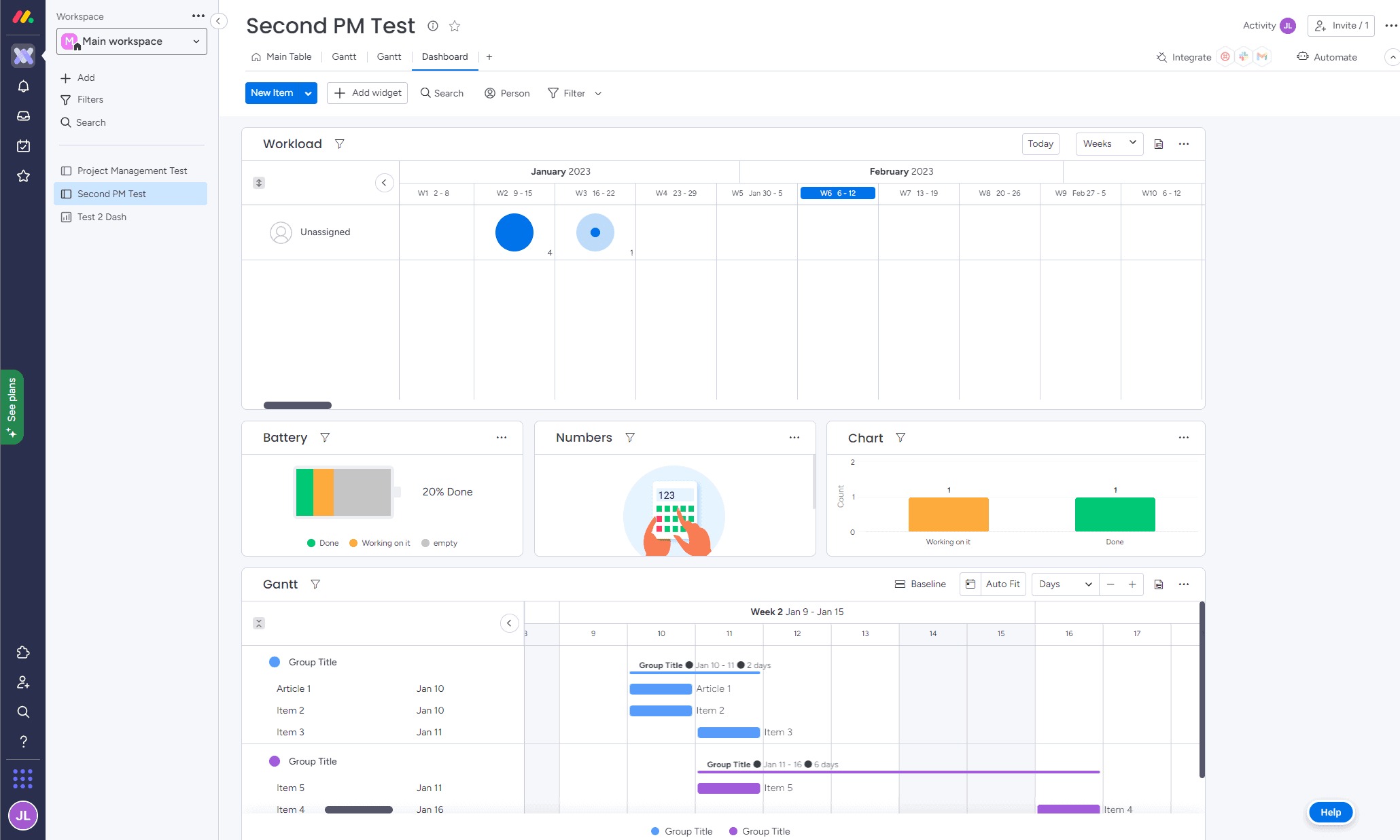
    5.Monday.com

    Monday.com is a visually appealing platform that excels at managing team tasks and workflows with automation. Its customizable dashboards provide a bird’s-eye view of projects, making it a favorite for scaling operations.

    Key Features

    • Customizable Workflows – Create workflows tailored to your team’s unique processes.
    • Drag-and-Drop Interface – Easily organize tasks, deadlines, and priorities.
    • Collaboration Tools – Communicate with your team via comments, mentions, and file sharing.
    • Automation & Integrations – Automate repetitive tasks and integrate with tools like Slack, Google Drive, and Zoom.
    • Time Tracking – Monitor time spent on tasks to improve efficiency.
    • Multiple Project Views – Use Kanban, Gantt charts, calendar, or list views.
    • Advanced Reporting & Analytics – Get insights into project progress and team performance.

    Wrapping Up

    Choosing the right task management tool can transform the way you and your team work. Whether you need a simple to-do list or a full-scale project management solution, the right platform will help streamline workflows, enhance collaboration, and boost overall productivity. Investing in an efficient task management system not only reduces stress but also ensures that projects stay on track, deadlines are met, and resources are optimized.

    Invest in a powerful task management system to streamline your processes and meet deadlines with ease. Ready to take your productivity to the next level? Explore Diadyn Task and Sign Up Today for seamless task management

    How to Choose the Best Helpdesk Software for Your Business

    How to Choose the Best Helpdesk Software for Your Business

    In today’s fast-paced world, delivering exceptional customer support is non-negotiable. Whether you are a small startup or a growing enterprise, your helpdesk software is the backbone of your customer service operations. It’s the tool that keeps tickets organized, teams aligned, and customers happy. But with so many options out there, how do you pick the best one for your business?

    Choosing the right helpdesk software doesn’t have to feel like a gamble. By focusing on your business needs, budget, and long-term goals, you can find a solution that fits like a glove. Here’s a step-by-step guide to choose the best helpdesk software

    best helpdesk software

    1. Identify Your Business Needs

    Before you even glance at software options, you need a clear picture of what your business demands. This step is about laying the groundwork think of it as your blueprint for success. Start by asking specific questions:

    • What’s our ticket volume? A small e-commerce store handling 10 customer questions a day doesn’t need the same firepower as a tech firm resolving 200+ IT tickets. Knowing your scale helps narrow the field.
    • Who’s using it? Is this just for your customer support reps, or do IT, sales, or even operations need access? A tool that serves multiple teams might need broader functionality.
    • What channels matter most? Do your customers reach out via email, phone, live chat, social media, or all of the above? If you’re active on platforms like X, you’ll want software that pulls in those interactions seamlessly.

    2. Focus on Must-Have Features

    Once you’ve got your requirements, it’s time to match them to features. The best helpdesk software doesn’t overwhelm you with bells and whistles it delivers what you need, cleanly and efficiently. Here’s a breakdown of key features to consider:

    • Ticket Management: This is the core of any helpdesk. Look for software that lets you track tickets from start to finish, assign them to the right people, and prioritize urgent issues. For instance, a late shipment complaint might need to jump the queue over a general question.
    • Multi-Channel Support: Customers don’t stick to one way of reaching you. Your software should pull in emails, phone calls, live chats, and even social media messages into one dashboard. Imagine a customer tweeting a complaint can your team respond without switching apps?
    • Automation: Repetitive tasks eat up time. Automation can tag tickets based on keywords (e.g., “billing” or “tech issue”), route them to the right team, or send follow-up emails. It’s like having an extra set of hands that never sleeps.
    • Self-Service Options: A knowledge base or FAQ section lets customers find answers on their own like how to reset a password or check order status.
    • Analytics: You can’t improve what you don’t measure. Look for reports on response times, ticket resolution rates, and customer satisfaction scores. These insights show if your support is hitting the mark or needs a tune-up.

    3. Ensure It’s User-Friendly

    The most powerful software in the world is useless if your team dreads logging in. Usability is king here’s how to judge it:

    • Intuitive Design: The interface should feel natural, with clear buttons and workflows. If you are clicking around aimlessly during a demo, it’s a red flag. Think of it like a smartphone good design makes it second nature.
    • Customization: Every business runs differently. Can you tweak ticket forms, set up custom statuses (e.g., “Awaiting Parts”), or design dashboards that show what you care about? Flexibility ensures the tool molds to your process, not the other way around.
    • Training and Support: Even simple tools need a kickstart. Does the provider offer onboarding webinars, tutorials, or a help center? And if something breaks, is their support team quick to respond? A vendor that leaves you hanging isn’t worth your time.

    Test it yourself or with your team. If it takes an hour to figure out how to assign a ticket, it’s too complicated. A tool should lift your team up, not drag them down.

    4. Think About Scalability

    Your business isn’t static, and your helpdesk software shouldn’t be either. Scalability means planning for growth without boxing yourself into a corner. Here’s what to check:

    • Growth Capacity: If you add 10 more employees or double your ticket volume, can the software keep up? Some tools cap users or charge steep fees as you scale know the limits upfront.
    • Flexibility: Look for tiered plans or add-ons that let you expand features like adding live chat or more integrations when you are ready. It’s like building a house with room for an extra floor later.
    • Integration: As your tech stack grows (think CRM, Slack, or billing tools), your helpdesk should connect seamlessly. A tool that’s an island now might be a headache later.

    5.Set a Budget That Works

    Cost matters, but it’s not just about the sticker price it’s about value. Helpdesk software spans free plans to enterprise suites, so here’s how to approach it:

    • Pricing Models: Some charge per user (e.g., $10/month per agent), others per ticket, or a flat rate. A five person team might love per-user pricing, while a high-volume operation might prefer a flat fee. Pick what aligns with your setup.
    • Total Cost: Look beyond the base price. Are there setup fees? Does training cost extra? Will you need premium features later that jack up the bill? Add it all up.
    • Return on Investment: A $50/month tool that saves 10 hours of manual work could pay for itself fast. Diadyn Technology emphasizes efficiency think about how faster resolutions or fewer tickets could boost your bottom line.

    6.Research Reviews and Reliability

    Vendors will promise the moon, but real users tell the truth. Do your homework:
    • User Feedback: Platforms like G2, Capterra, or even X posts from businesses like yours reveal the good, bad, and ugly. Is it buggy? Slow? A dream to use? Look for patterns.
    • Uptime and Performance: Downtime kills support. Check if the software has a solid track record most vendors publish uptime stats (aim for 99.9% or higher).
    • Vendor Support: If the tool crashes, will you get help fast? Look for 24/7 support or a responsive team. A vendor that ghosts you mid-crisis is a dealbreaker.

    Final Thoughts

    Choosing the best helpdesk software is about finding the right tool for your business not just the most popular one. Define your needs, prioritize usability and scalability, and test your options. Diadyn Help Desk stands out with its streamlined ticket management and technical integration capabilities. Whatever your choice, the right helpdesk software will streamline your operations, boost team morale, and keep your customers coming back.

    Ready to start? Explore Diadyn Help Desk or another top pick, Book a Meeting , and see how it transforms your support game. Your perfect solution is waiting!

    Best Project Management Softwares for Small Businesses

    Best Project Management Softwares for Small Businesses

    In today’s fast-paced business world, small businesses need efficient project management tools to stay organized, meet deadlines, and enhance team collaboration. With numerous options available, selecting the right project management app can significantly improve productivity and efficiency. Here’s a list of the best project management softwares for small businesses, along with their key features.

    1. Diadyn Project

    Diadyn Project  is designed to help small  businesses  streamline their workflows, improve collaboration, and boost efficiency. Whether you're handling complex projects or day-to-day tasks, our platform offers powerful tools to enhance productivity, automate processes, and ensure seamless execution. With cloud-based accessibility, advanced reporting, and customizable features, managing projects has never been easier.

    Key Features

    • Task Management – Organize and prioritize tasks with intuitive workflows.
    • Time Tracking – Monitor project timelines, set deadlines, and optimize productivity.
    • Cloud Integration – Access your projects anytime, anywhere with seamless cloud support.
    • Security & Compliance – Keep your data protected with industry-standard security protocols.
    • Customization & Scalability – Tailor workflows to suit your business needs as you grow.
    best project management softwares for Small Businesses

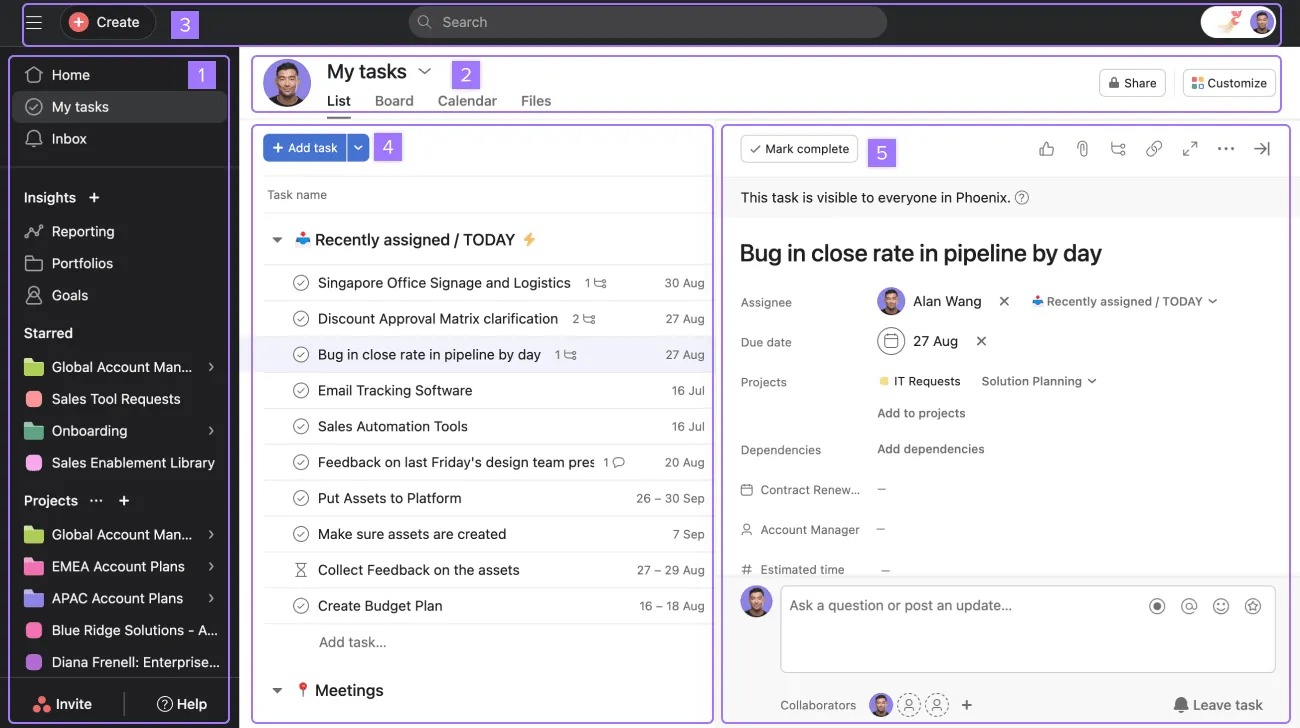
    2. Asana 

    Asana is a powerful project management and collaboration tool designed to help teams organize tasks, track progress, and streamline workflows. Whether you're managing simple to-do lists or complex projects, Asana provides a user-friendly interface and robust features to enhance team efficiency. It enables businesses to plan, execute, and deliver projects seamlessly while fostering collaboration across teams.

    Key Features 

    Task & Project Management – Create tasks, assign them to team members, set priorities, and track progress effortlessly.

    • Multiple Views – Visualize work with List, Board, Timeline (Gantt), and Calendar views for better project tracking.
    • Automation & Workflow Customization – Automate repetitive tasks with rule-based workflows to improve efficiency.
    • Team Collaboration – Share files, add comments, and communicate in real time to keep projects on track.
    • Integrations – Seamlessly connect with apps like Slack, Google Drive, Microsoft Teams, and more for enhanced productivity.
    • Reporting & Analytics – Gain insights into project progress with dashboards and detailed reports.
    • Mobile Access – Stay productive on the go with Asana’s mobile app for Android and iOS.
    • Security & Compliance – Enterprise-grade security with data encryption, admin controls, and compliance standards.

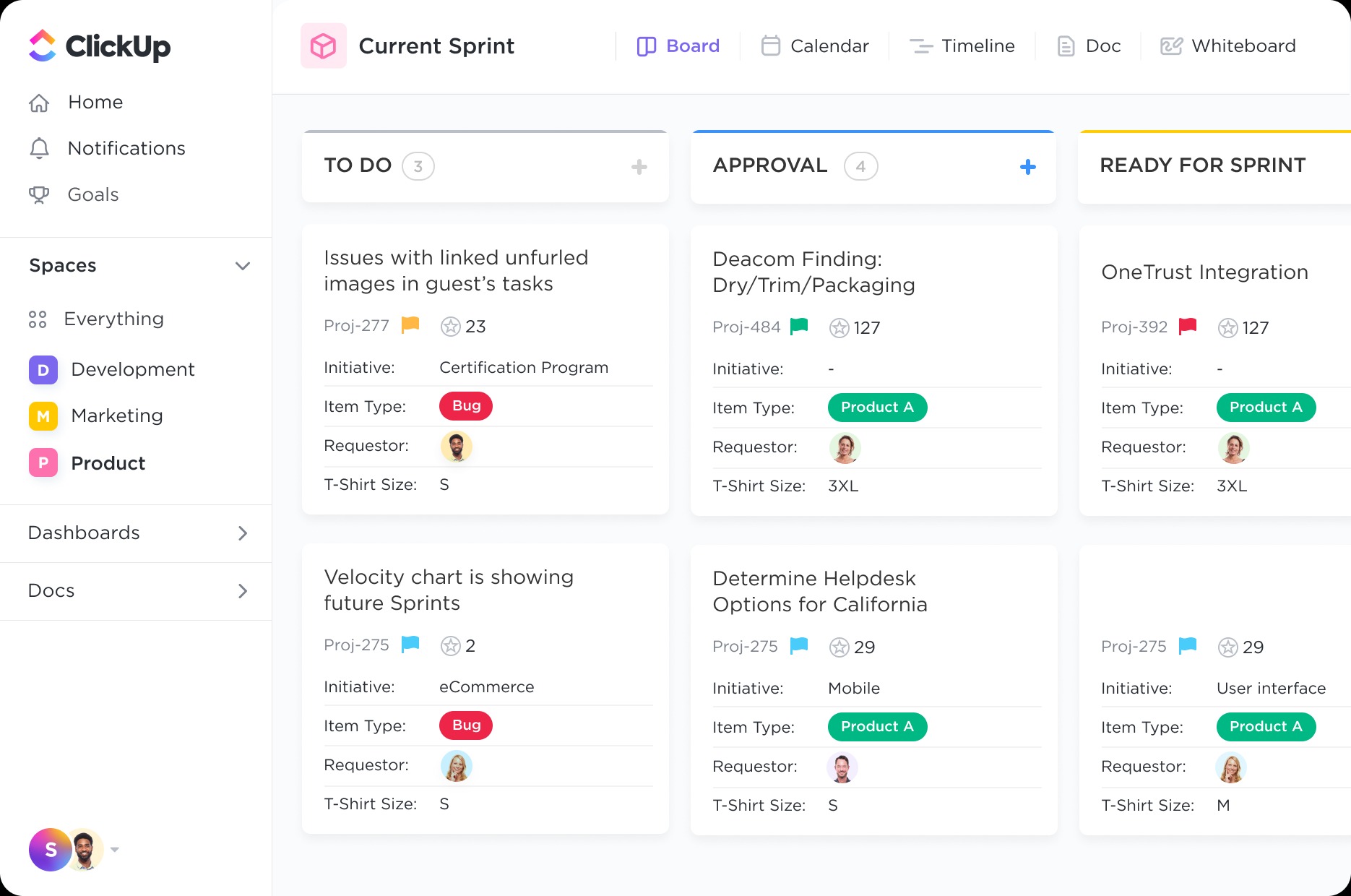
    3. ClickUp

    ClickUp is a comprehensive project management and productivity tool designed to streamline workflows, enhance collaboration, and improve efficiency for teams of all sizes. With customizable task views, automation, and seamless integrations, ClickUp helps businesses centralize work and stay organized, making it a top choice for teams looking for flexibility and scalability.

    Key Features

    • Task & Project Management – Create, assign, and manage tasks with due dates, priorities, and dependencies.
    • Multiple Views – Access List, Board, Gantt Chart, Calendar, Timeline, and Mind Map views to suit different workflows.
    • Custom Workflows & Automation – Automate repetitive tasks and customize workflows to fit your team’s needs.
    • Docs & Wikis – Create and collaborate on documents, wikis, and knowledge bases within ClickUp.
    • Time Tracking & Goal Setting – Monitor time spent on tasks, set goals, and track progress with detailed reports.

    • Collaboration & Communication – Use chat, comments, mentions, and real-time document editing for seamless teamwork.

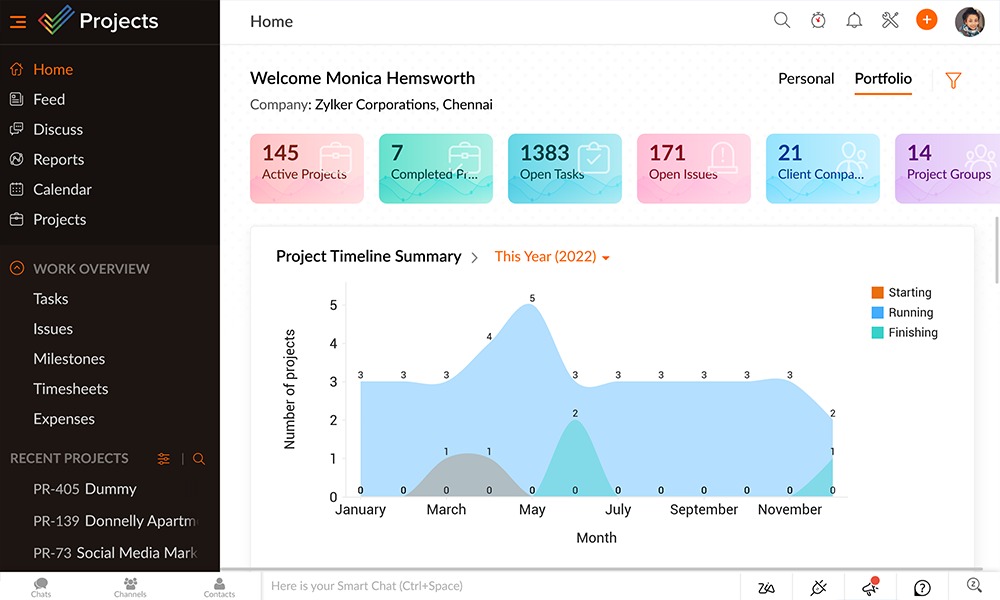
    4.Zoho Projects

    Zoho Projects is a powerful cloud-based project management tool designed to help businesses plan, track, and collaborate seamlessly. With features like task automation, time tracking, and in-depth analytics, Zoho Projects simplifies complex workflows, making it the ideal solution for teams of all sizes. Whether you’re managing software development, marketing campaigns, or internal operations, Zoho Projects ensures efficiency and transparency.

    Key Features of Zoho Projects

    • Task & Milestone Management – Organize tasks into lists, set milestones, and track project progress effortlessly.
    • Custom Workflows & Automation – Automate repetitive tasks and streamline approvals with rule-based workflows.

    • Time Tracking & Billing – Monitor work hours with built-in timers and generate invoices for billable hours.
    • Collaboration Tools – Use built-in chat, comments, and file-sharing to enhance team communication.
    • Custom Dashboards & Reports – Gain insights into project performance with customizable reports and analytics.
    • Mobile & Cloud Accessibility – Manage projects on the go with Zoho Projects' mobile apps for iOS and Android.

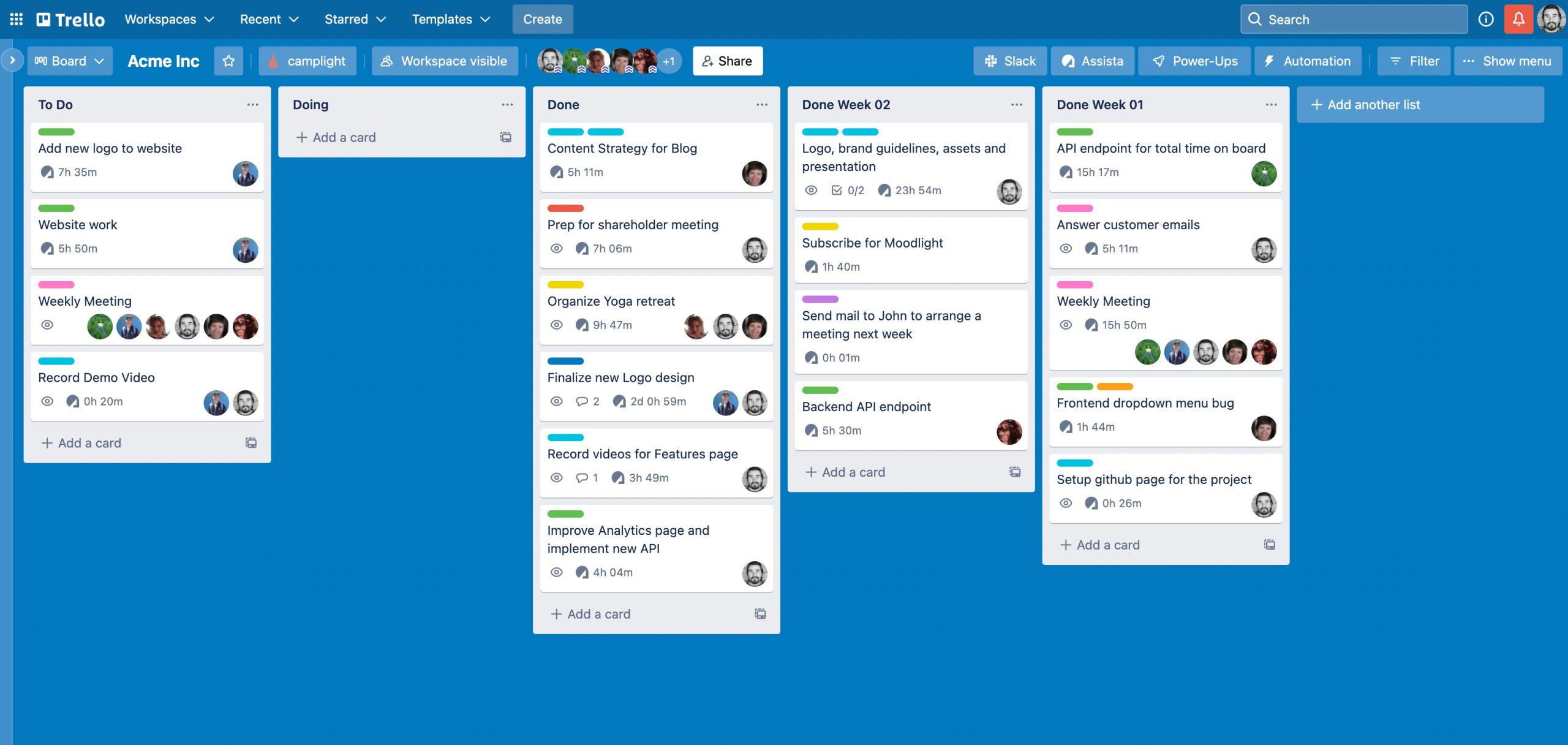
    5.Trello

    Trello is an intuitive, visual project management tool designed to help teams organize tasks, track progress, and collaborate efficiently. With its flexible Kanban-style boards, lists, and cards, Trello makes it easy to manage projects, streamline workflows, and boost productivity. Whether you’re planning a marketing campaign, tracking software development, or organizing personal tasks, Trello adapts to your workflow effortlessly.

    Key Features of Trello

    • Drag-and-Drop Kanban Boards – Organize tasks visually with lists and cards for easy workflow management.
    • Customizable Workspaces – Create boards for different teams, projects, or departments with unique settings.
    • Task Assignments & Due Dates – Assign tasks to team members and set deadlines to keep projects on track.
    • Butler Automation – Automate repetitive tasks with rule-based workflows, reducing manual work.
    • Checklists & Attachments – Break down tasks into smaller steps and attach files, images, or links for reference.
    • Real-Time Collaboration – Comment on tasks, tag teammates, and track project updates instantly.
    • Mobile & Cloud Accessibility – Access Trello from anywhere with mobile apps for iOS and Android.

    Choosing the Right Project Management App

    When selecting a project management app for your small business, consider the following:

    • Ease of use: Look for a user-friendly interface that requires minimal training.
    • Scalability: Choose an app that can grow with your business.
    • Integration: Ensure compatibility with existing tools like email, CRM, and accounting software.
    • Pricing: Opt for a solution that fits your budget while offering essential features.

    Final Thoughts

    Choosing the right project management app can greatly enhance your small business's productivity and efficiency. Take the time to assess your business requirements, explore different options, and adopt the one that aligns best with your workflow. Evaluate your business requirements, test a few options, and implement the one that best suits your workflow.

    Or, you can save time and choose  Diadyn Project  right away. We are confident you will  love it! Learn more about Diadyn Project  today. Sign Up Now

    Best POS Solutions for Retail Stores: Features to Look For

    Best POS Solutions for Retail Stores: Features to Look For

    A Point of Sale (POS) system is a crucial tool for retail businesses, helping to streamline sales, manage inventory, and enhance customer experience. With numerous POS solutions available, choosing the right one can be overwhelming. To help you make an informed decision, we have compiled a guide on the best POS systems for retail stores and the essential features to look for. This blog explores the Best Retail POS Solutions essential features.

    best retail pos solutions

    Top Features to Consider in a Best Retail POS Solutions

    1. Inventory Management

    Managing inventory efficiently is crucial for any business, and our POS Inventory Management System simplifies the entire process with automation, real-time tracking, and insightful analytics. It ensures that stock levels are always accurate, reducing manual errors and optimizing inventory control. The system provides real-time updates as sales, purchases, and returns occur, preventing stockouts and overstock situations.

    With built-in barcode and SKU management, scanning and identifying products becomes seamless, improving speed and accuracy in stock management. Businesses operating across multiple locations or online platforms can synchronize inventory effortlessly, maintaining consistent stock availability across all sales channels.

    Designed with a user-friendly interface and cloud-based accessibility, the system allows business owners to monitor inventory from anywhere, ensuring smooth operations with minimal effort. By reducing inventory-related inefficiencies, minimizing losses, and enhancing accuracy, this POS solution helps businesses maintain profitability and scalability effortlessly.

    2. Sales & Transaction Processing

    Efficient and seamless sales and transaction processing are at the heart of a powerful POS system. Our POS solution streamlines the entire checkout process, making it faster, more accurate, and highly secure.

    It supports multiple payment methods, including cash, credit/debit cards, mobile wallets, and contactless payments, ensuring convenience for customers and reducing checkout time. The system also enables split payments, refunds, and store credits, offering flexibility in handling transactions.

    Real-time transaction recording ensures that every sale is accurately logged, preventing discrepancies in sales reports and inventory management. Discounts, promotions, and loyalty programs can be easily applied at checkout, enhancing customer engagement and retention.

    3. Reporting & Analytics

    View real-time and historical sales data, broken down by date, time, product category, or payment method. Identify top-performing products and trends to make informed decisions.Track stock levels, monitor shrinkage, and identify best-sellers or slow-moving items. Use reorder alerts to avoid stockouts or overstocking.Analyze purchase patterns, loyalty program engagement, and customer lifetime value. Segment customers for personalized marketing.

    4.Multi-Store and Omni-Channel Support

    A powerful POS system should seamlessly manage multiple store locations and integrate with online sales channels. With multi-store support, retailers can centralize inventory, pricing, and customer data across all branches, ensuring consistent operations. Omni-channel capabilities enable smooth transitions between in-store, online, and mobile sales, offering customers a unified shopping experience. Whether tracking stock levels in real-time, processing cross-store returns, or syncing customer loyalty programs, a robust POS with these features enhances efficiency and boosts sales across all touchpoints.

    5.Payment Processing Flexibility

    A modern POS system should offer flexible payment processing to accommodate diverse customer preferences. From traditional cash and credit/debit cards to mobile wallets (Apple Pay, Google Pay) and contactless payments, seamless transactions enhance the shopping experience. Additionally, support for split payments, installment plans, and multiple currencies can improve customer satisfaction and expand business reach. With secure encryption and compliance with industry standards (PCI DSS), a flexible POS ensures safe and efficient payment handling, reducing transaction friction and boosting sales.

    6.Scalability and Customization

    A robust POS system should grow with your business, offering scalability and customization to meet evolving needs. Whether expanding to multiple locations, adding new product lines, or integrating advanced features, a scalable POS ensures seamless operations without disruption. Customization options, such as tailored user interfaces, personalized reports, and industry-specific modules, allow businesses to optimize workflows and enhance efficiency. With the right POS, retailers can adapt to market changes, streamline processes, and maintain a competitive edge.

    7.Security and Compliance

    A reliable POS system must prioritize security and compliance to protect customer data and business transactions. Look for features like end-to-end encryption, tokenization, and PCI DSS compliance to safeguard sensitive payment information. Role-based access controls and audit trails ensure that only authorized personnel can access critical data, reducing the risk of fraud. Additionally, compliance with local tax regulations and industry standards helps businesses stay legally compliant while maintaining customer trust. With a secure POS system, retailers can operate with confidence, knowing their data and transactions are well-protected.

    How Diadyn Technology Helps You Choose the Best POS

    At Diadyn Technology, we guide retail organisations in selecting and implementing the best POS systems tailored to your needs. From inventory management to payment processing, our experts ensure a seamless transition and sustained growth. Contact us today to explore customized POS solutions for your store.

    Ready to elevate your retail operations? Contact Diadyn Technology or discover Diadyn POS  for more details.